
| Reward | Chance |
|---|---|
| Common Soul Point Potion | 20% |
| Common Mystery Key | 40% |
| Uncommon Crate Key | 39% |
| Usual Crate Key | 1% |
m Changed Mystery Fragment chance per fragment from 25% --> 33.3% as there are only 3 possibilities not 4 |
m Removed an extra | |
||
| Line 381: | Line 381: | ||
Pet & Mount Stands= | Pet & Mount Stands= | ||
<div class="pre-dungeon"> | <div class="pre-dungeon"> | ||
Your own little companions, how cute! Pets serve as a way to deal extra DPS or heal the player, while mounts are used to traverse the [[Biomes|Realm]]. Selecting Companions is done by clicking on the desired one. Companions are obtained from [[Dungeons]] at a very low droprate, with no Soft Pity. To summon your Mount in the realm, click on the saddle in your inventory's actions menu, or in the G-key interface. More information on companions can be found on the [[Companions | Your own little companions, how cute! Pets serve as a way to deal extra DPS or heal the player, while mounts are used to traverse the [[Biomes|Realm]]. Selecting Companions is done by clicking on the desired one. Companions are obtained from [[Dungeons]] at a very low droprate, with no Soft Pity. To summon your Mount in the realm, click on the saddle in your inventory's actions menu, or in the G-key interface. More information on companions can be found on the [[Companions|Companions Page]], and more information on Companion Bags can be found on the [[Loot|Loot Page]]. | ||
</div> | </div> | ||

The Nexus is D's Sanctuary outside the world of Telos, accesed via the Eye of Nexus.
It holds many entities and stations to help the players with their mission. One of them being Thorian, found near spawn. He holds the Season pass rewards! Furthermore, the Nexus is home to NPCs such as the Blacksmith to upgrade your gear, the Auction House to exchange items, and Ragnar to give a guiding hand.
[D̷̛͖̲̜̤̭̤̬̏͑́̌̇̽͛̊́̕̚͜'s Personal LOG: Nexus] BYPASS STATE: Collecting data...
 Realms Globe
Various realm-globes orbit around the Eye of Nexus. The more Silverlings in a realm, the brighter and bigger the globe! To get into a Realm right-click on a realm-globe or the Eye of Nexus to get sent to the largest Realm.
Use /locations to change the region you are in (Europe, North America, Asia).
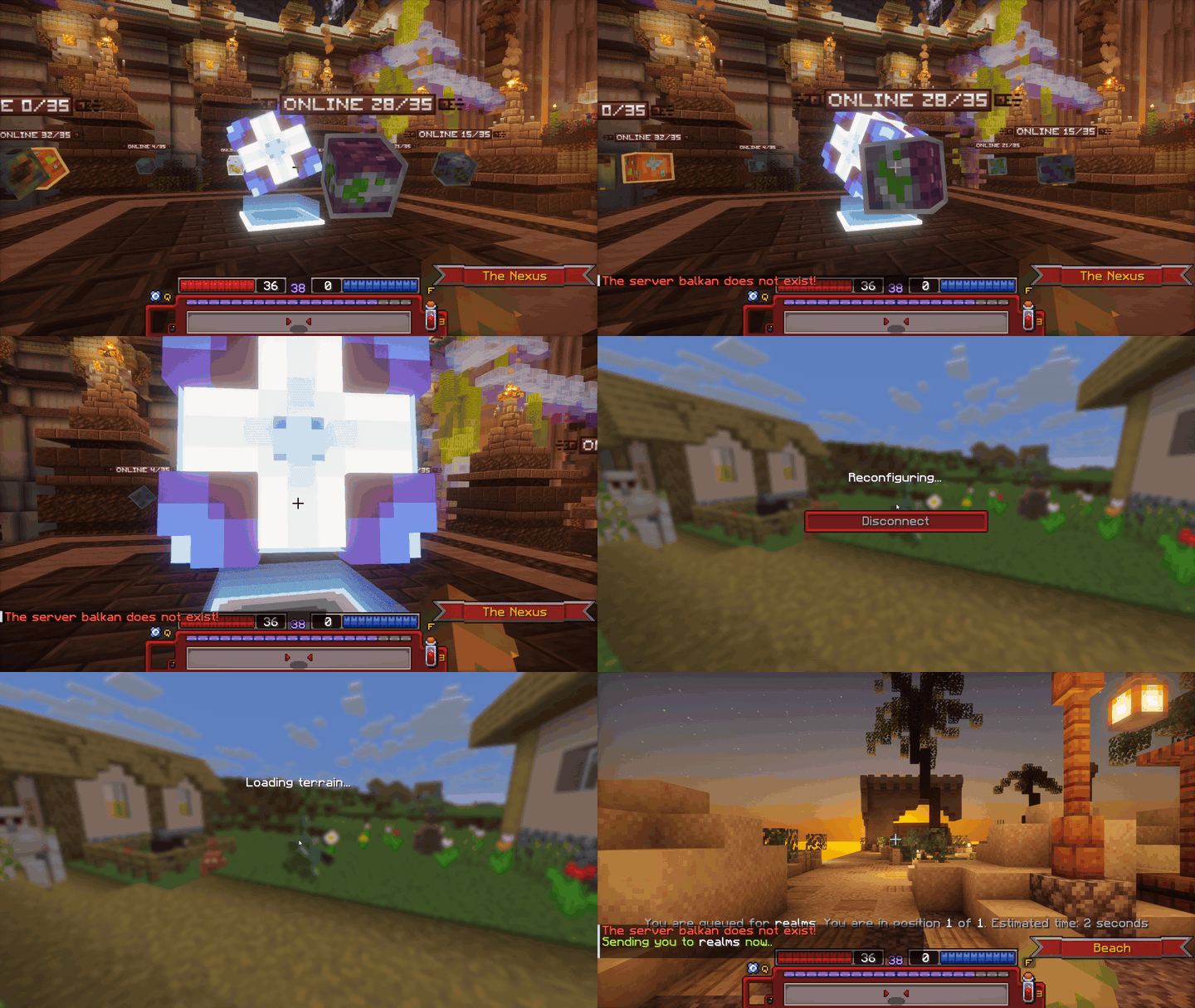
Entering the Realm of Telos via the Eye of Nexus.
 Dojo
Dojo
The Dojo is where you can find various Training Dummies. These are near-invincible enemies that deal no damage and serve as a way for players to test their gear and abilities. Upon hitting a Training Dummy, 3 lines of text will appear above its head displaying the total damage dealt, damage per second, and time passed.
The test will end shortly after you stop hitting the dummy.
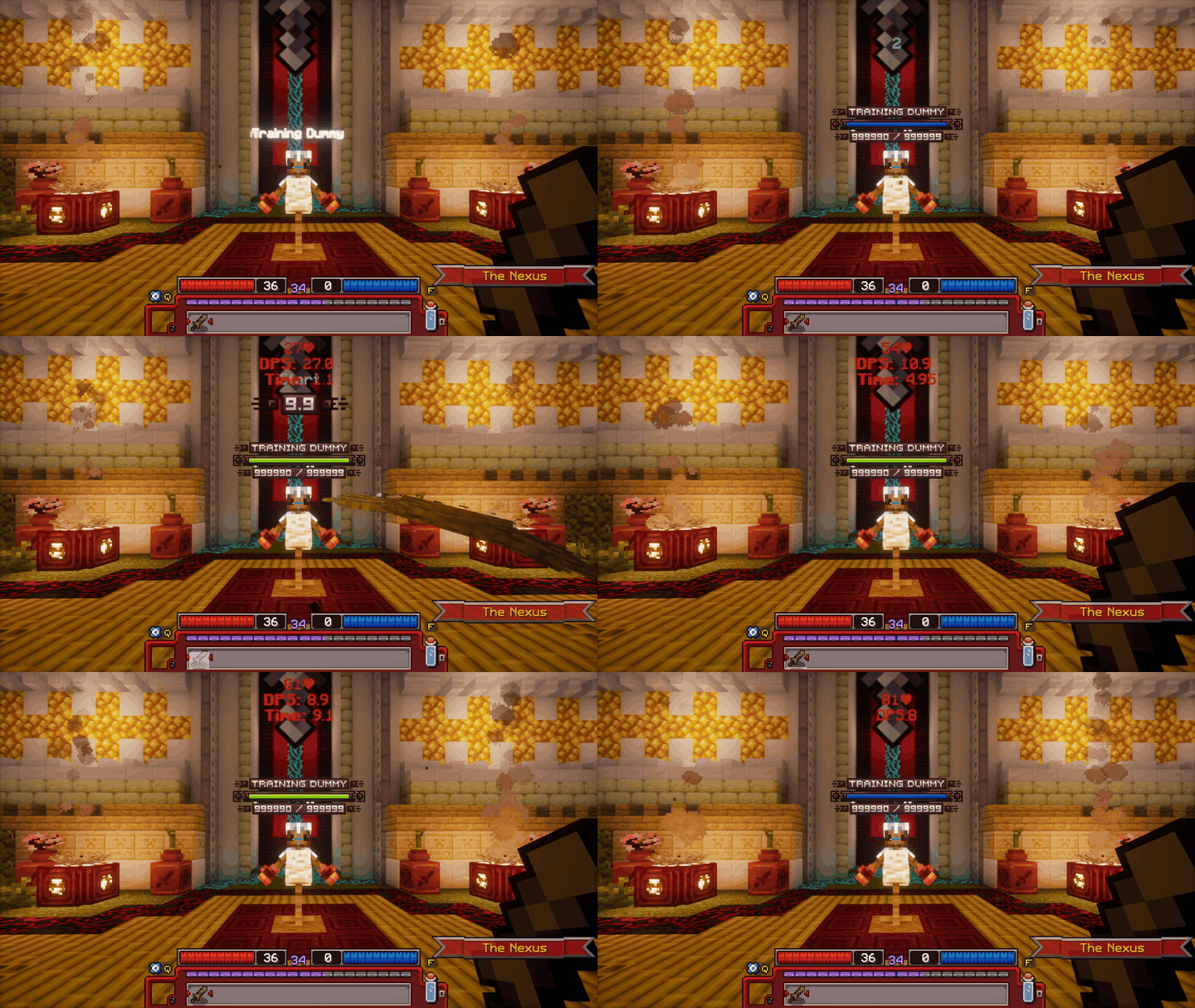
Showcase of a Training Dummy's functionality.
 Crates
There's five kinds of Crates: Common, Uncommon, Rare, Epic, and Legendary. The drop-tables for every Crate are listed below. Each Crate has its own Key linked to it, for example, the Epic Crate is opened using the Epic Crate Key.
Every season. unique pet or mount reskin(s) get added to the Legendary Crate, and the reskin(s) from the previous season will no longer be available. Stash Extenders and Character Slots serve to permanently upgrade your account, doing exactly as their name says, adding +1 Slot to either your Characters or Stash. Mystery Items from Crates have an equal chance of getting any of the items inside, for example, each individual Fragment from the Mystery Fragment reward will be a 33.3% chance! Mystery Keys can be rolled to obtain a random Dungeon Key. Soul Point Potions serve to speed up your Trancendence progression. They add the listed amount of Soul Points to the Character you consume them on.
To view a Crates' rewards, click on the crate with an empty hand. To open a crate you need a key of the same tier as the Crate. Keys can be obtained from earlier crates, quests, the season pass, or the store.
| Reward | Chance |
|---|---|
| Common Soul Point Potion | 20% |
| Common Mystery Key | 40% |
| Uncommon Crate Key | 39% |
| Usual Crate Key | 1% |
| Reward | Chance |
|---|---|
| Uncommon Soul Point Potion | 15% |
| Mystery Fragment | 10% |
| Uncommon Dungeon Key | 55% |
| Rare Crate Key | 19% |
| Strange Crate Key | 1% |
| Reward | Chance |
|---|---|
| Mystery Rune | 5% |
| Rare Soul Point Potion | 15% |
| Mystery Fragment | 15% |
| Rare Mystery Key | 50% |
| Epic Crate Key | 14% |
| Fabled Crate Key | 1% |
| Reward | Chance |
|---|---|
| Extractor | 5% |
| Mystery Rune | 5% |
| Epic Soul Point Potion | 10% |
| Mystery Fragment | 15% |
| Epic Mystery Key | 35% |
| Epic Crate Key x2 | 20% |
| Exotic Crate Key | 1% |
| Character Slot | 2% |
| Stash Extender | 2% |
| Legendary Crate Key | 5% |
| Reward | Chance |
|---|---|
| Legendary Dungeon Key | 20% |
| Legendary Soul Point Potion | 20% |
| Legendary Crate Key x2 | 5% |
| Character Slot | 15% |
| Stash Extender | 15% |
| Exotic Crate Key | 10% |
| Supporter Token (30 days) | 10% |
| Legendary Skin(s) | 5%/amount of reskins |
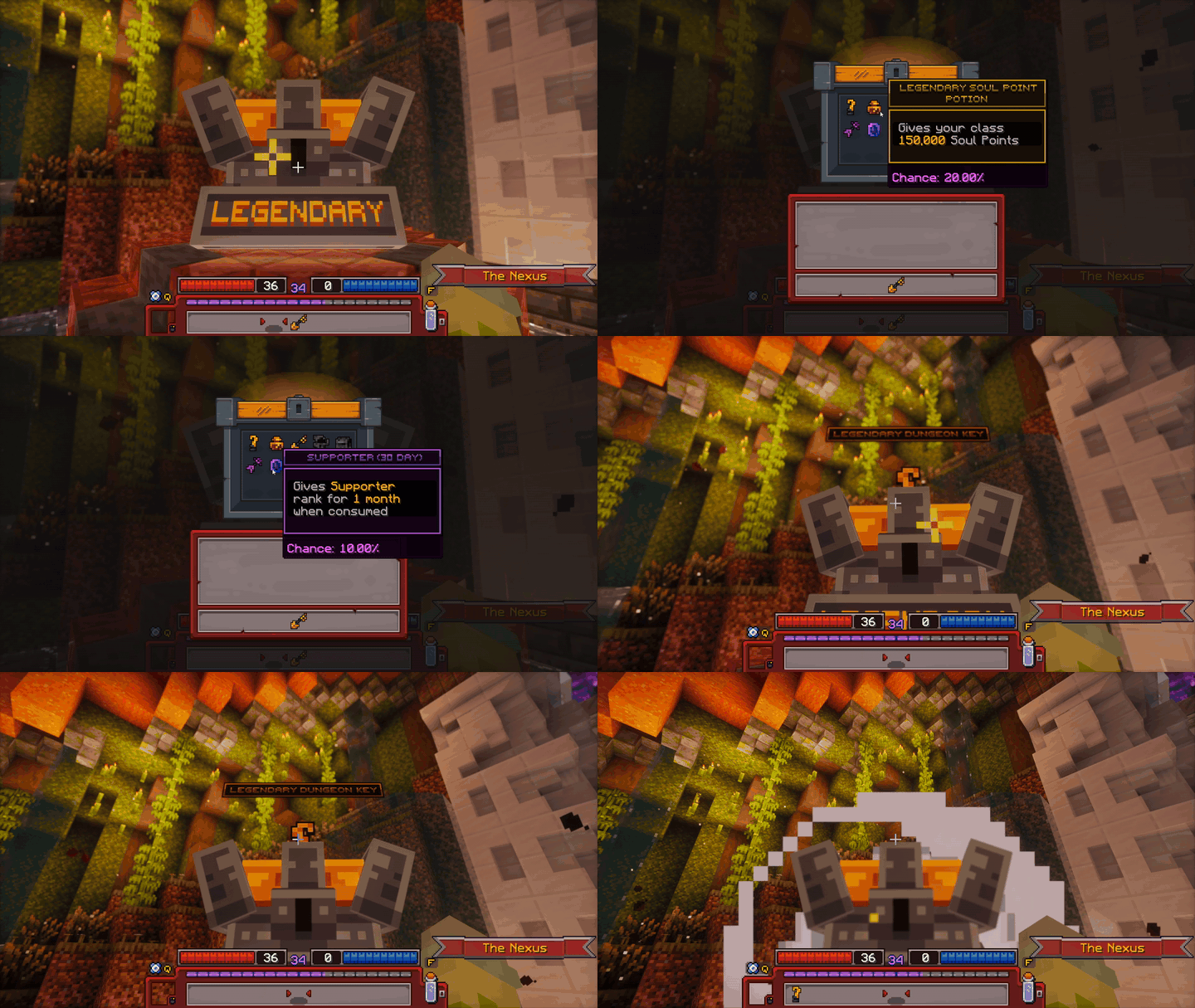
Demonstration of a Legendary Crate's functionality.
 Companion Area
There's four kinds of companion crates: Usual, Strange, Fabled, and Exotic. The droptables for every companion crate are listed below. Each companion crate has its own key linked to it; for example, the Exotic Companion Crate is opened using the Exotic Crate Key. Additionally, companion crates are split into Pets and Mounts; however, both use the same keys.
To view a companion crates' rewards, click on the crate with an empty hand. To open a companion crate, you'll need a key of the same tier as the crate. Keys can be obtained from earlier companion crates, quests, the season pass, or bought from Gorrum or the store.
Any mounts of the Fabled and above rarity can fly. However, some mount skins also allow for permanent flight with any mount. Pets can either damage enemies or heal the player, while mounts are used to get around the realm.
| Reward | Chance |
|---|---|
| Slime Archer | 12.14% |
| Thornwood Druid | 12.14% |
| Shamanoid | 12.14% |
| Lost Cleric | 12.14% |
| Yin Yang | 12.14% |
| Undead Ent | 12.14% |
| Khufy | 12.14% |
| Strange Crate Key | 15% |
| Reward | Chance |
|---|---|
| Blazey | 9.44% |
| Dark Knight | 9.44% |
| Ice Penguin | 9.44% |
| Mini Dwarf | 9.44% |
| Golden Martial | 9.44% |
| Blade | 9.44% |
| Pryoc | 9.44% |
| Dark Alchemist | 9.44% |
| Thaily | 9.44% |
| Fabled Crate Key | 15.01% |
| Reward | Chance |
|---|---|
| Mini Archmage | 12.50% |
| Minobi | 12.50% |
| Mini Illusionist | 12.50% |
| Night Riser | 12.50% |
| Bard | 12.50% |
| Beast Master | 12.50% |
| Tartalink | 12.50% |
| Exotic Crate Key | 12.50% |
| Reward | Chance |
|---|---|
| Lil' Monk | 10.00% |
| Elder Ent | 10.00% |
| Dragon Warrior | 10.00% |
| Lumine | 10.00% |
| Exaltling | 10.00% |
| Thanatos | 10.00% |
| Mosslight | 10.00% |
| Shadow Chirp | 10.00% |
| Legion | 10.00% |
| Radle | 10.00% |
| Reward | Chance |
|---|---|
| Golden Stallion | 12.14% |
| Timberbeast | 12.14% |
| Gobblehop | 12.14% |
| Grumbleglob | 12.14% |
| Zenpanda | 12.14% |
| Thornscale | 12.14% |
| Shadow Scorpid | 12.14% |
| Strange Crate Key | 15% |
| Reward | Chance |
|---|---|
| Magma Runner | 9.44% |
| Necrofox | 9.44% |
| Frostfang | 9.44% |
| Glacial Runner | 9.44% |
| Midas Construct | 9.44% |
| Fireclaw | 9.44% |
| Hydroscorch | 9.44% |
| Shadowclaw | 9.44% |
| Winterbeast | 9.44% |
| Fabled Crate Key | 15.01% |
| Reward | Chance |
|---|---|
| Etherealmare | 12.50% |
| Mycohawk | 12.50% |
| Spectral Steed | 12.50% |
| Phantommare | 12.50% |
| Mechamajestic | 12.50% |
| Necrowyrm | 12.50% |
| Emberaptor | 12.50% |
| Exotic Crate Key | 12.50% |
| Reward | Chance |
|---|---|
| Dusk Manticultist | 10.00% |
| Woodland Mantibane | 10.00% |
| Sunflare | 10.00% |
| Astralflare | 10.00% |
| Celestial Serpent | 10.00% |
| Seraphix | 10.00% |
| Vinegleam | 10.00% |
| Dreadspire Drake | 10.00% |
| Echoraptor | 10.00% |
| Glowscale | 10.00% |
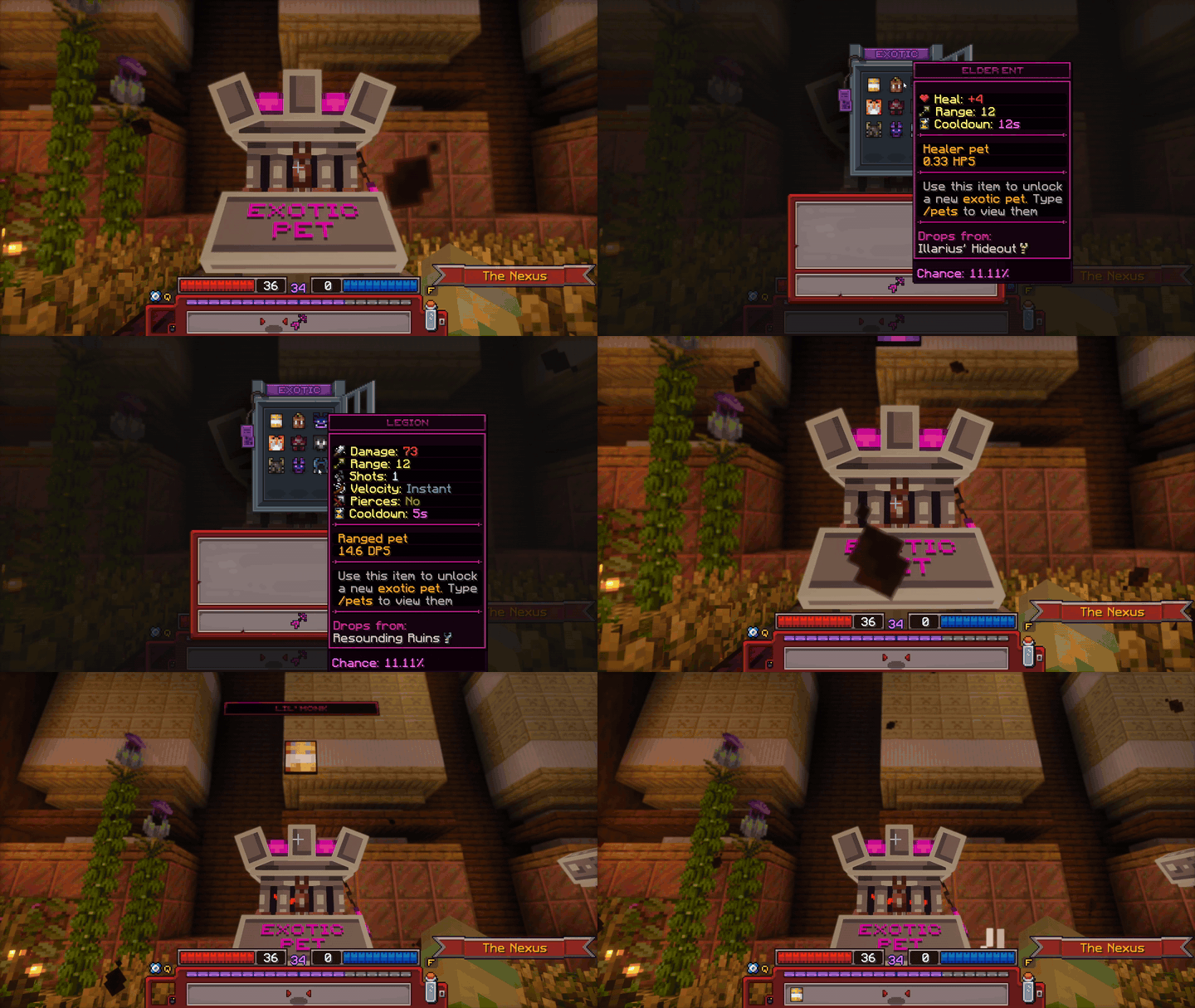
Demonstration of an Exotic Crate's functionality
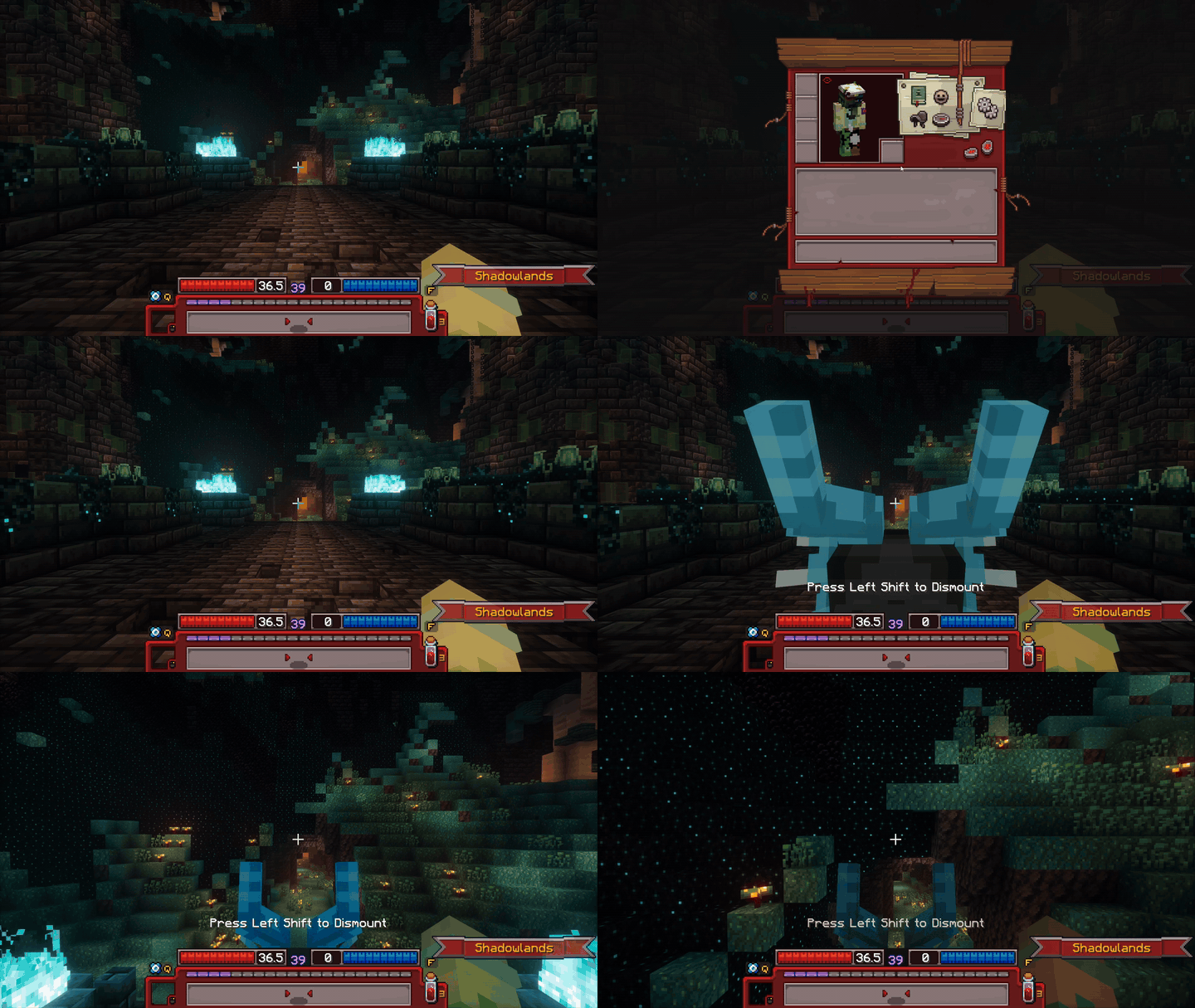
Demonstration of a mount's functionality
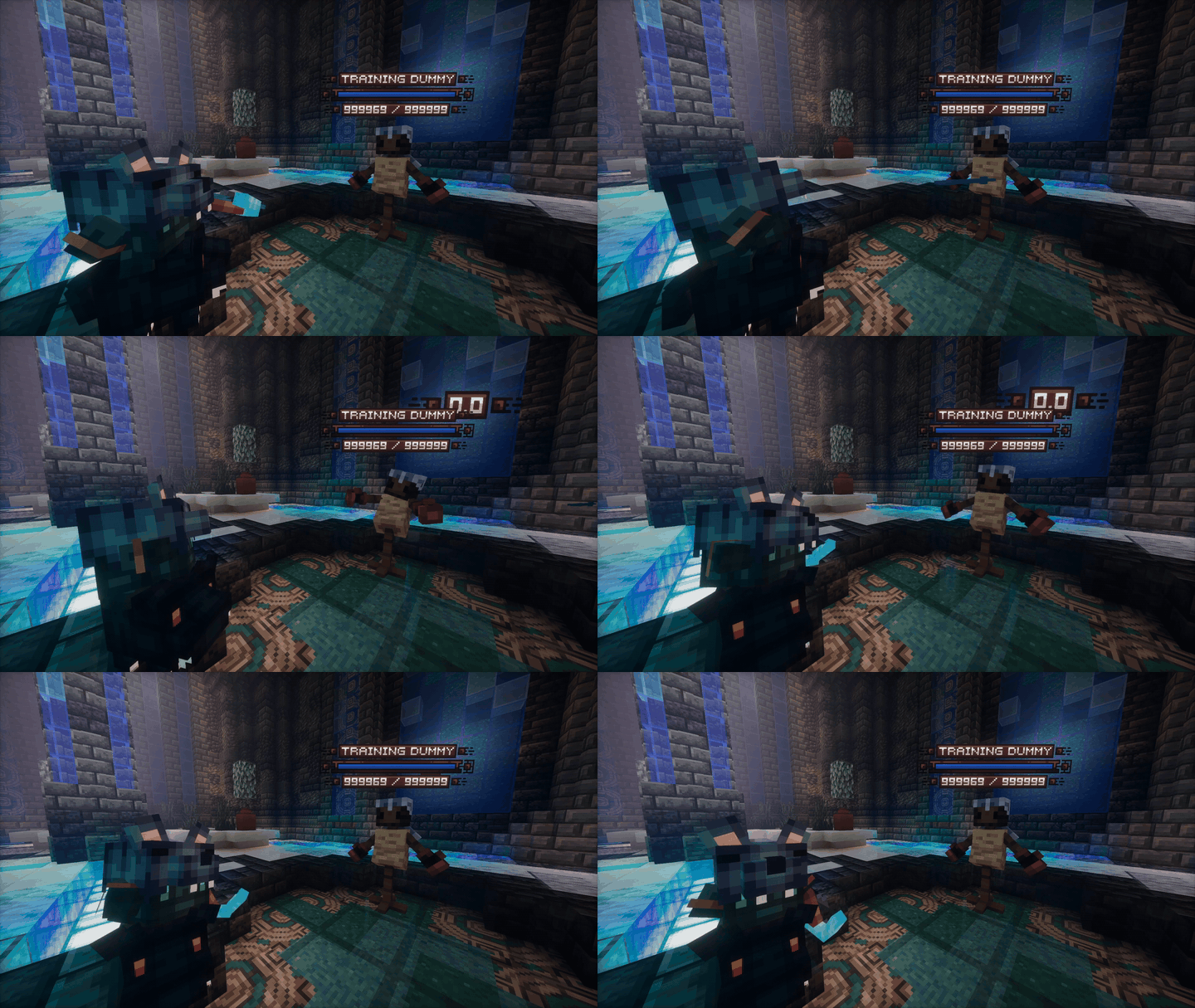
Demonstration of a pet dealing damage
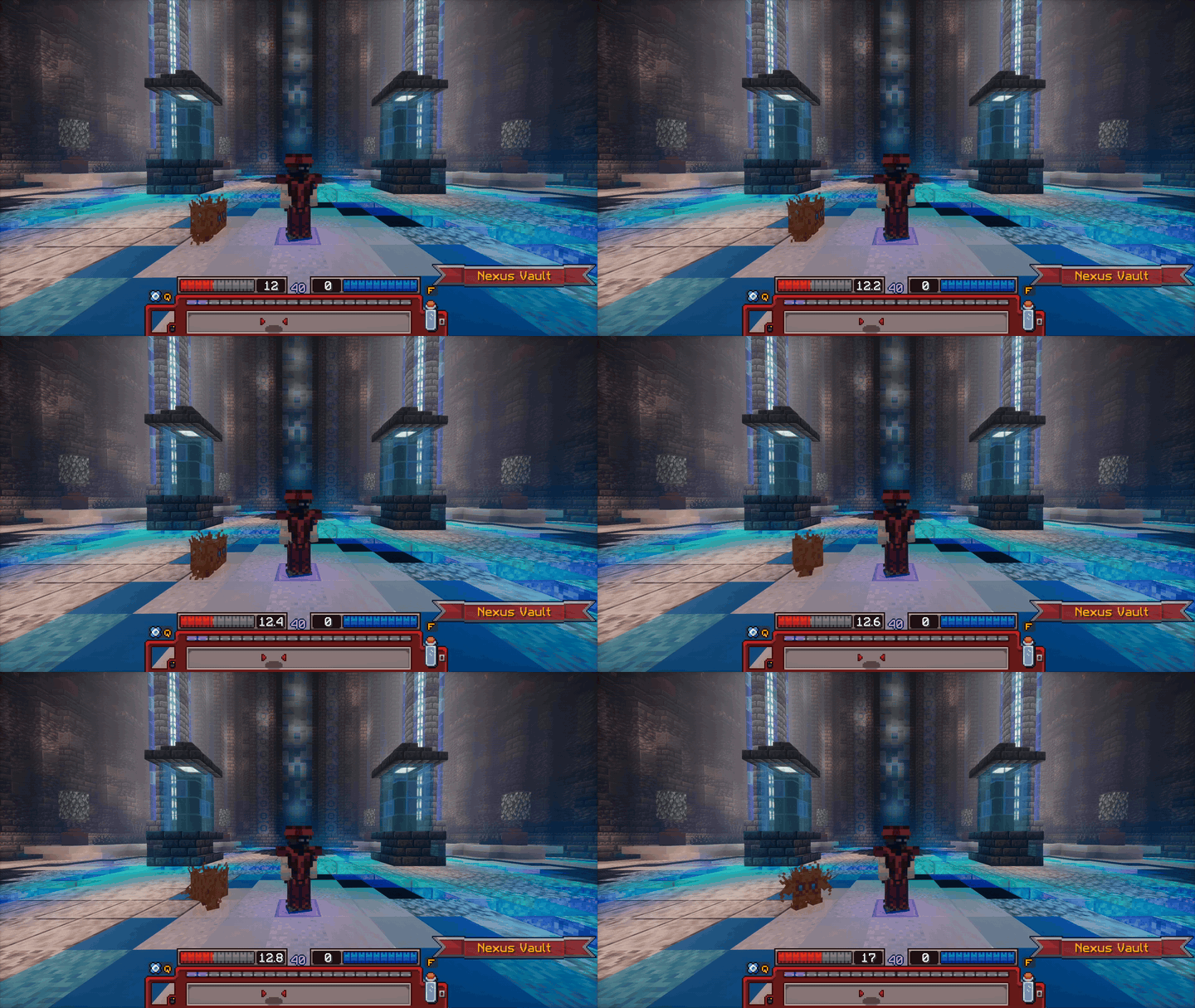
Demonstration of a pet healing the player
 Blacksmith
At the Blacksmith you can upgrade your items by either Exalting or Crafting. Exalting upgrades an item with Forge Fragments, which will improve the item's ability and/or its stats. Crafting is done with crafting components; this drastically changes the item into a new one. More information on exalting and crafting individual UT items can be found in the individual tabs of the Loot page.
The Exalting Stations are found at the top and Crafting Stations at the bottom of the GUI.
Depending on the rarity of the item that is being exalted, it can cost more or less Forge Fragments to Exalt.
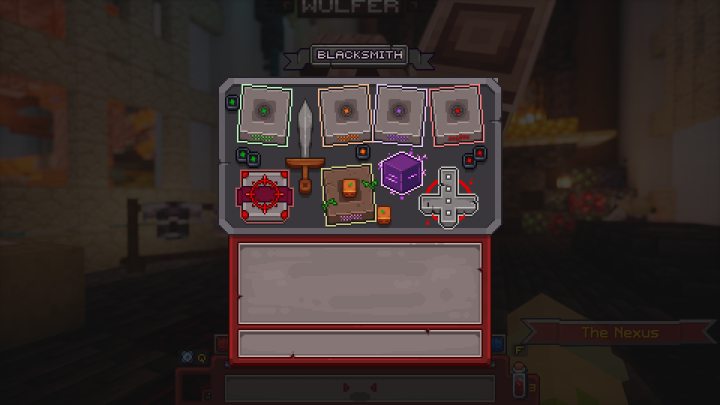
All stations in Wulfurs GUI
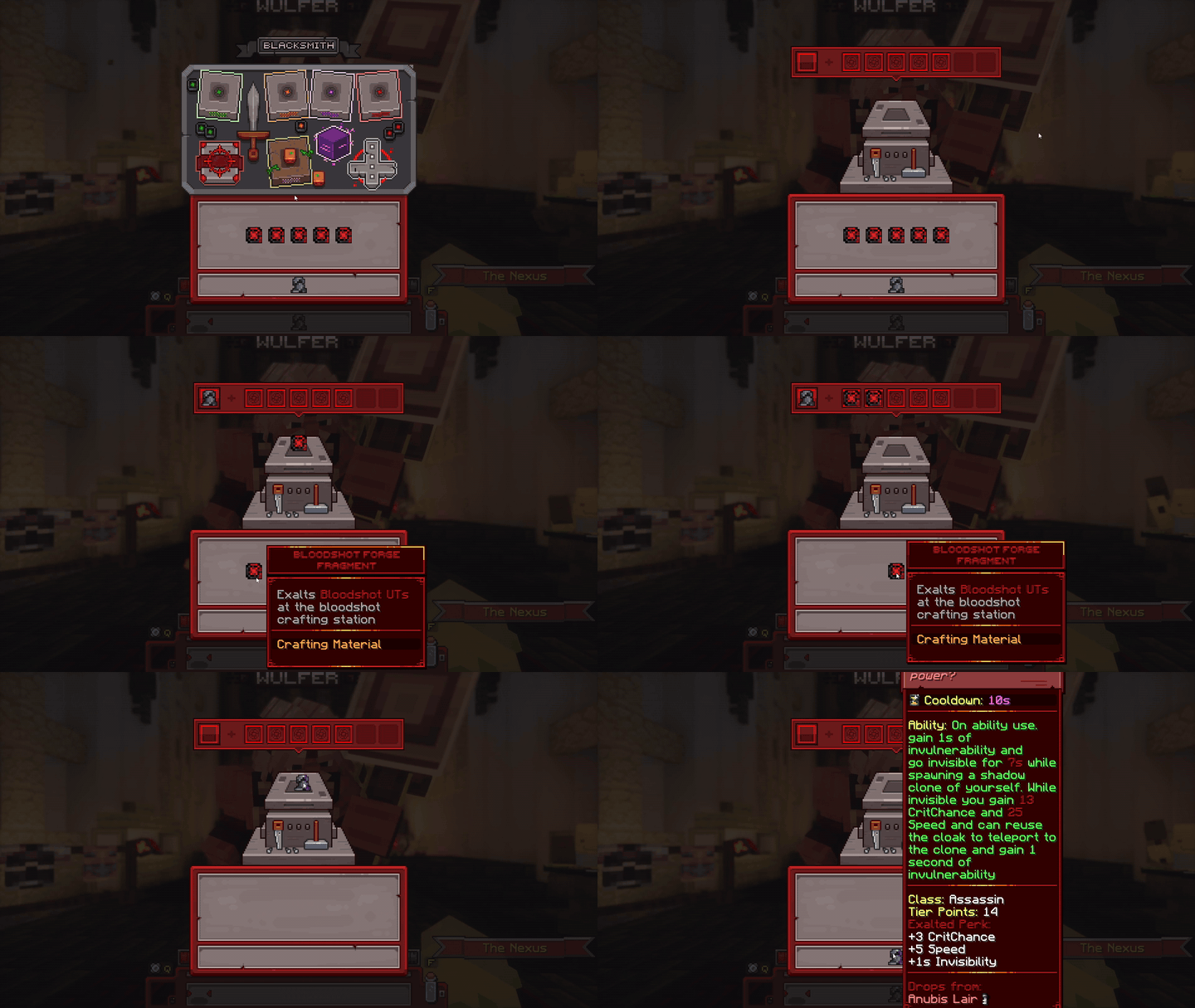
Exalting a Bloodshot UT
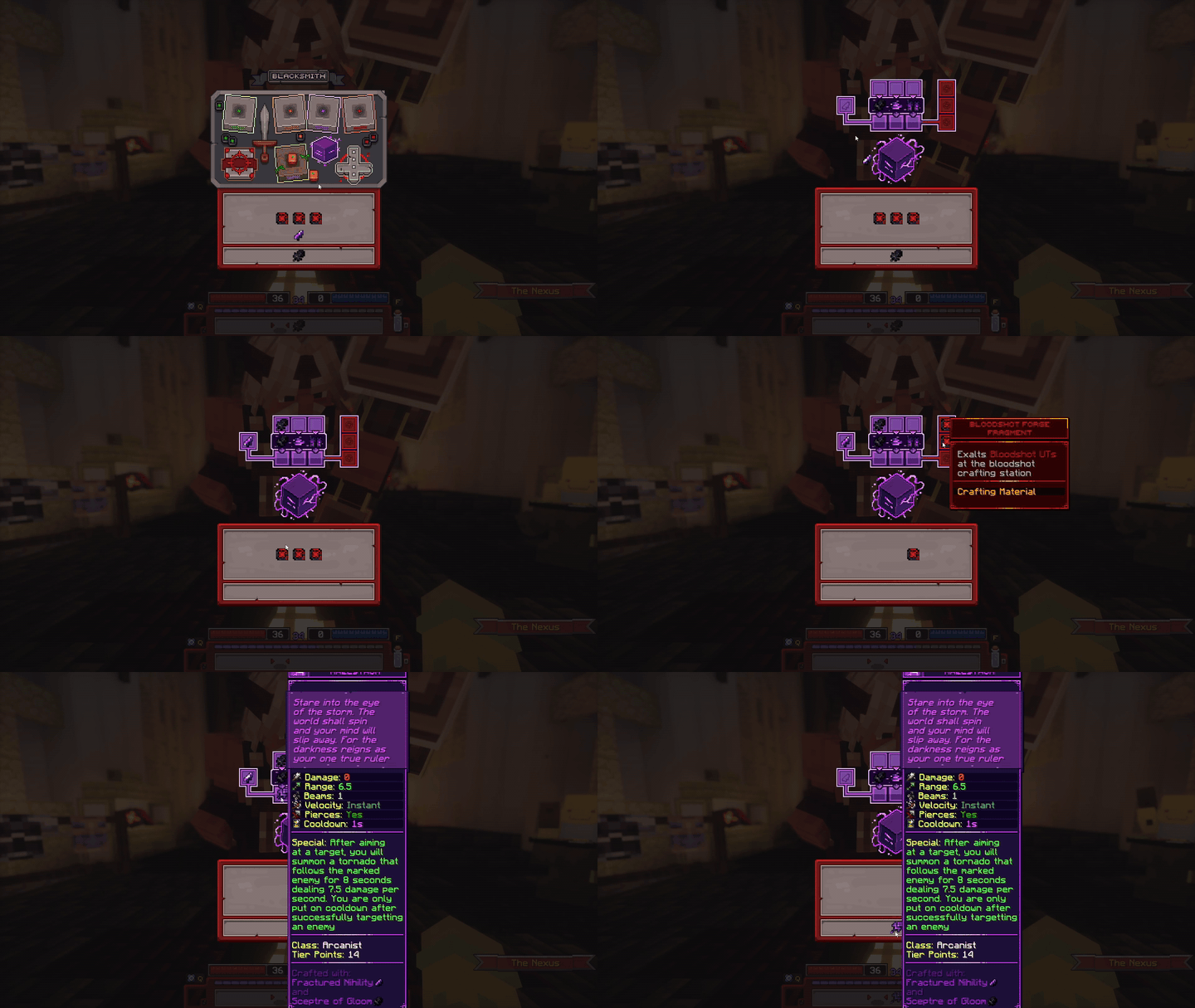
Crafting a Voidbound UT
 Skill Tree
Moloch offers you levels of Transcendence in return for Soul Points. There are a total of 10 levels of transcendence, each costing more and more Soul Points to unlock. For every level of Transcendence you'll also get buffs like an increase in base stats, Loot Boost, and more! Skill Points for the Skill Tree are obtained from Transcending.
Soul Points are earned whenever you gain Fame, at a 1:1 ratio, which means Fame Boost and Fame Day also affect Soul Point gain! The other way to get Soul Points is via Soul Point Potions which can be acquired from Quests, Crates, Companion Rewards, and more.
Skill Tree abilities are called Nodes. When speaking of specific nodes, they are abbreviated in order of: Node (n), Tier (1-6), Position(a/b/c). For Example: n6b, which means the middle node on the highest tier of the Skill Tree. Every Skill Tree has 2 rows and 6 tiers of nodes. The 4th and 6th tier also have middle nodes, making every skill tree have 13 nodes in total.
To view Nodes, right-click them, and this will lock the description in place. Right-clicking again will unlock the description. To select a Node, left-click while looking at it. To reset your Skill Tree, press the R button on the floor between the 2 skill trees.
More information on skill trees can be found in the Skill Trees page.
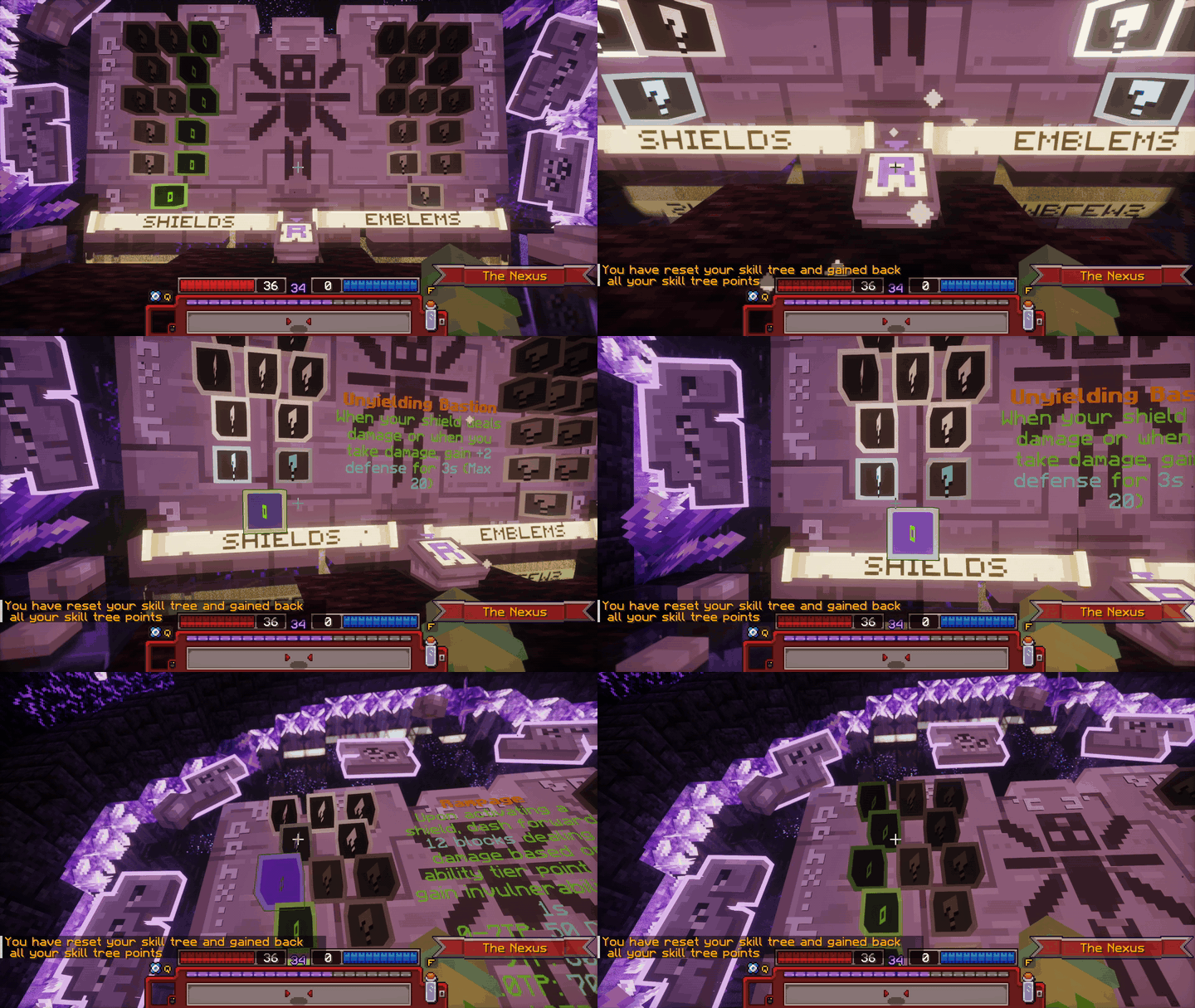
Viewing and selecting nodes in the skill tree
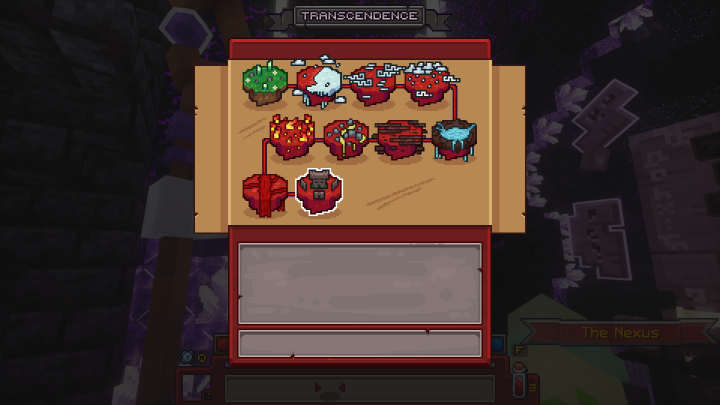
Moloch's Transcendence GUI
 Personal Area
This is the player's permanent storage which is not lost on death. Each stash page has a total of 45 slots. By default the player only has one page; however, more can be obtained by consuming  Stash Extenders. Stash Extenders can be obtained from the Store, Crates, Companion Rewards, and the Season pass.
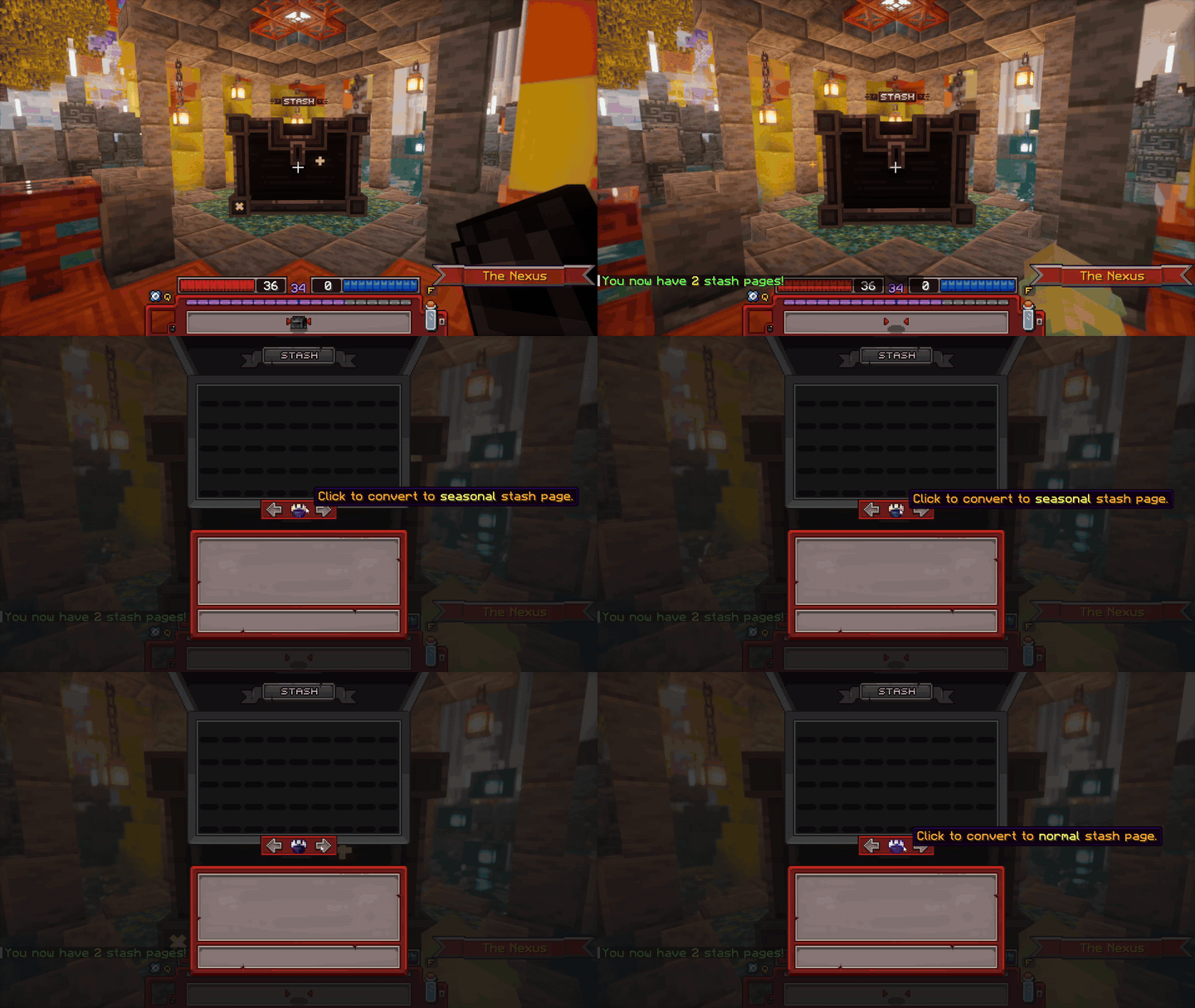
Demonstration of the Stash
Allows the player to view and select characters. To create more characters, the player can click on an empty slot, which will open up the Character Creation GUI. Right-clicking on a Character will open up that Character's GUI. Items can be deposited into Normal Characters here via dragging them into the inventory. Deleting a character is done by clicking on the trash-can icon.
By default, 2 Character Slots are unlocked. More can be obtained by consuming  Character Slots, which can be obtained from the Store, Crates, Companion Rewards. and the Season pass.
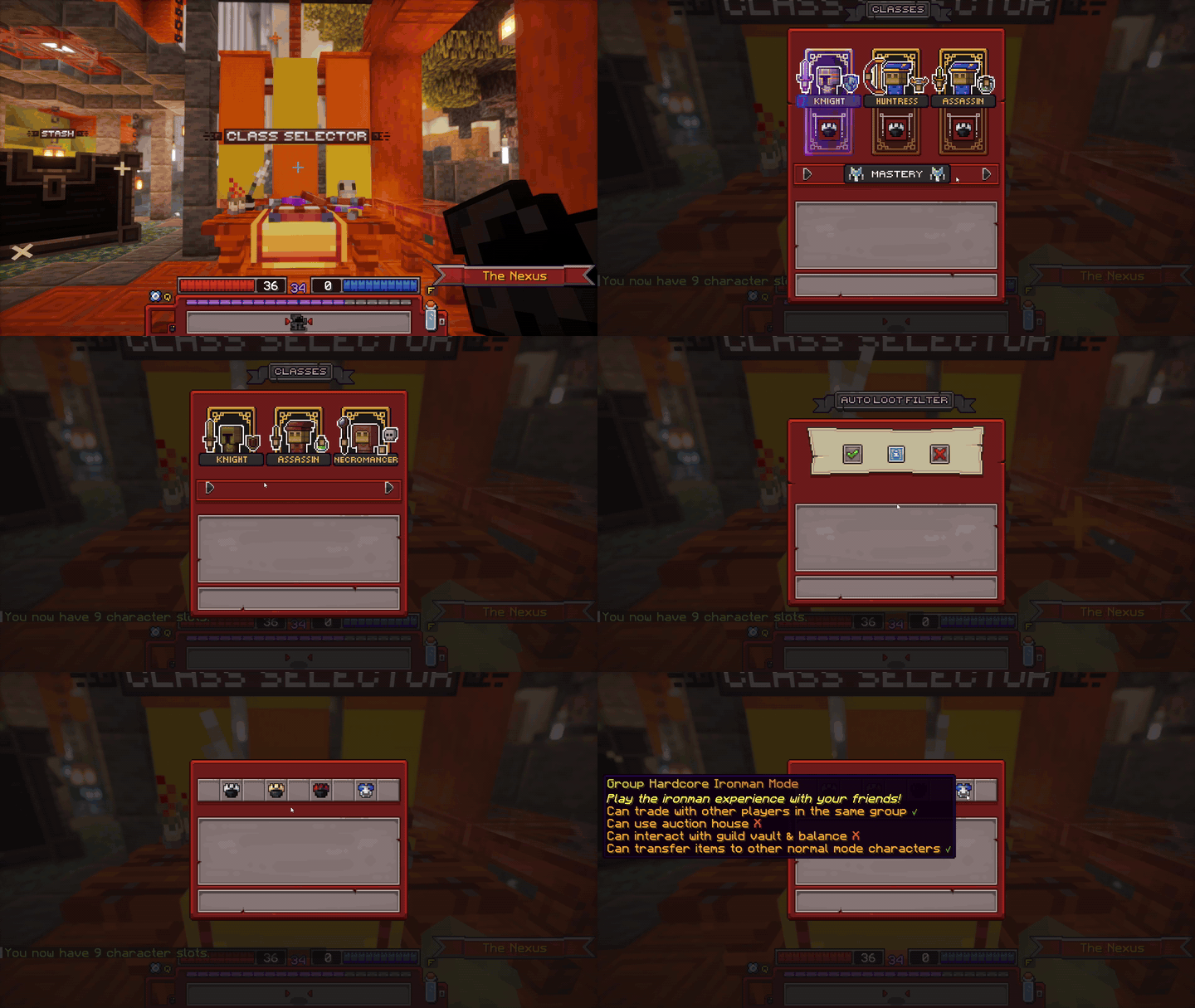
Demonstration of character creation
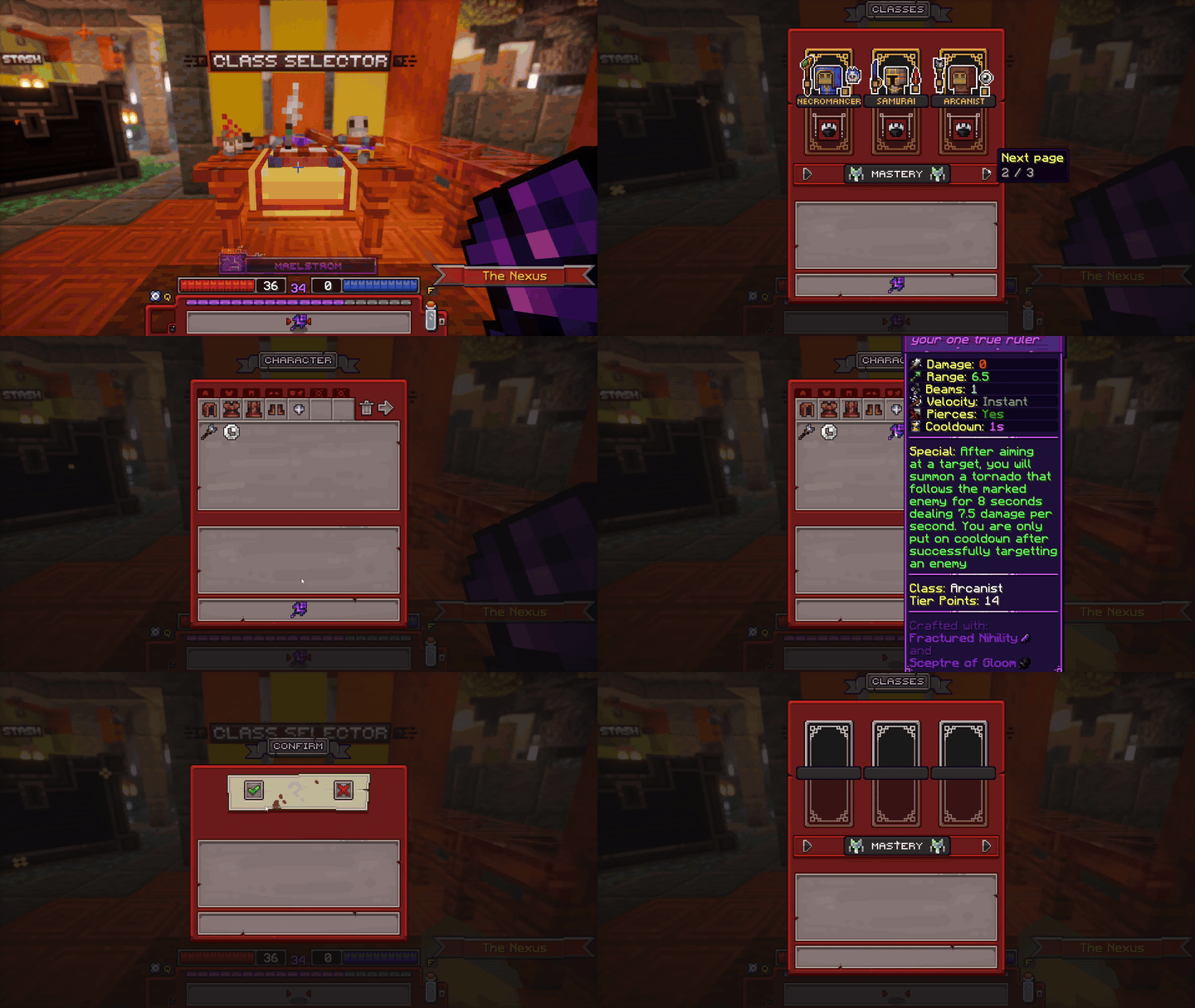
Demonstration of character transfer and deletion
Lets the player choose what drops they can pick up. Do note that this only applies to Tiered gear, as Untiered items will always be picked up. In the Loot Filter GUI, there's an icon for every class, clicking on one will toggle picking up drops for that class. To filter loot even more, click on the +/- buttons. These will either increase or decrease the minimum Tier Points gear has to be in order to be picked up.
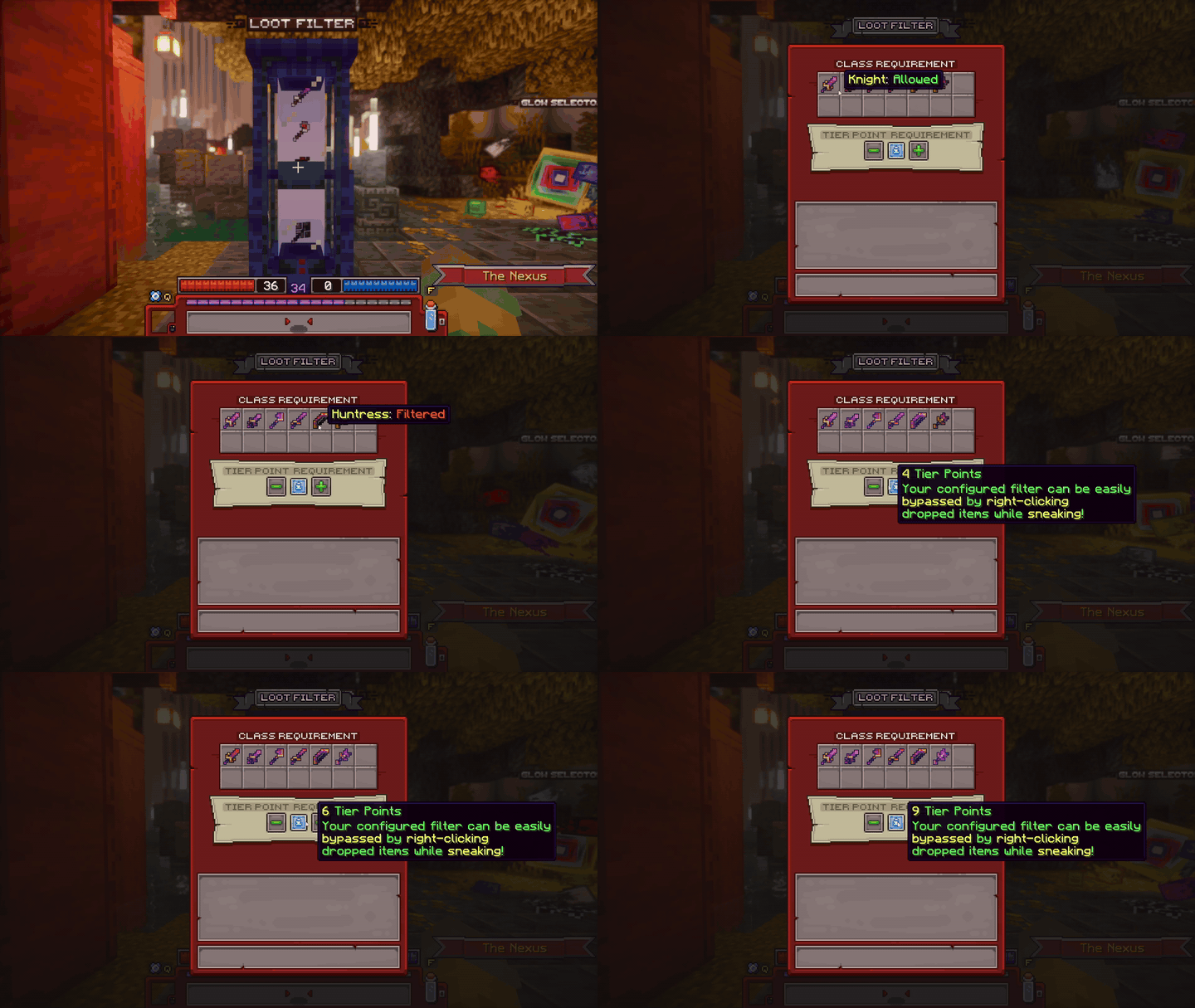
Demonstration of the Loot Filter
This is used to apply glows to a character. Glows are displayed as a coloured outline around the player. Applying a glow can be done by clicking on one of the glow icons. Glows can be earnt from holding Leaderboard positions and completing particular Achievements, as well as purchasing Supporter.
| Glow | Requirement |
|---|---|
| Lime | Top 5 Default Character. |
| Green | Top 1 Default Character |
| Coral | Top 5 Hardcore Ironman Character |
| Red | Top 1 Hardcore Ironman Character |
| Yellow | Top 5 Seasonal Character |
| Orange | Top 1 Seasonal Character |
| Navy | Top 1 Group Hardcore Ironman Character |
| Blue | Top 3 Group Hardcore Ironman Character |
| Light Blue | Top 3 Guild |
| Cyan | Top 1 Guild |
| Black | All Mounts Collected |
| White | All Pets Collected |
| Pink | Max Transcendence on all Classes |
| Purple | Supporter Subscription |
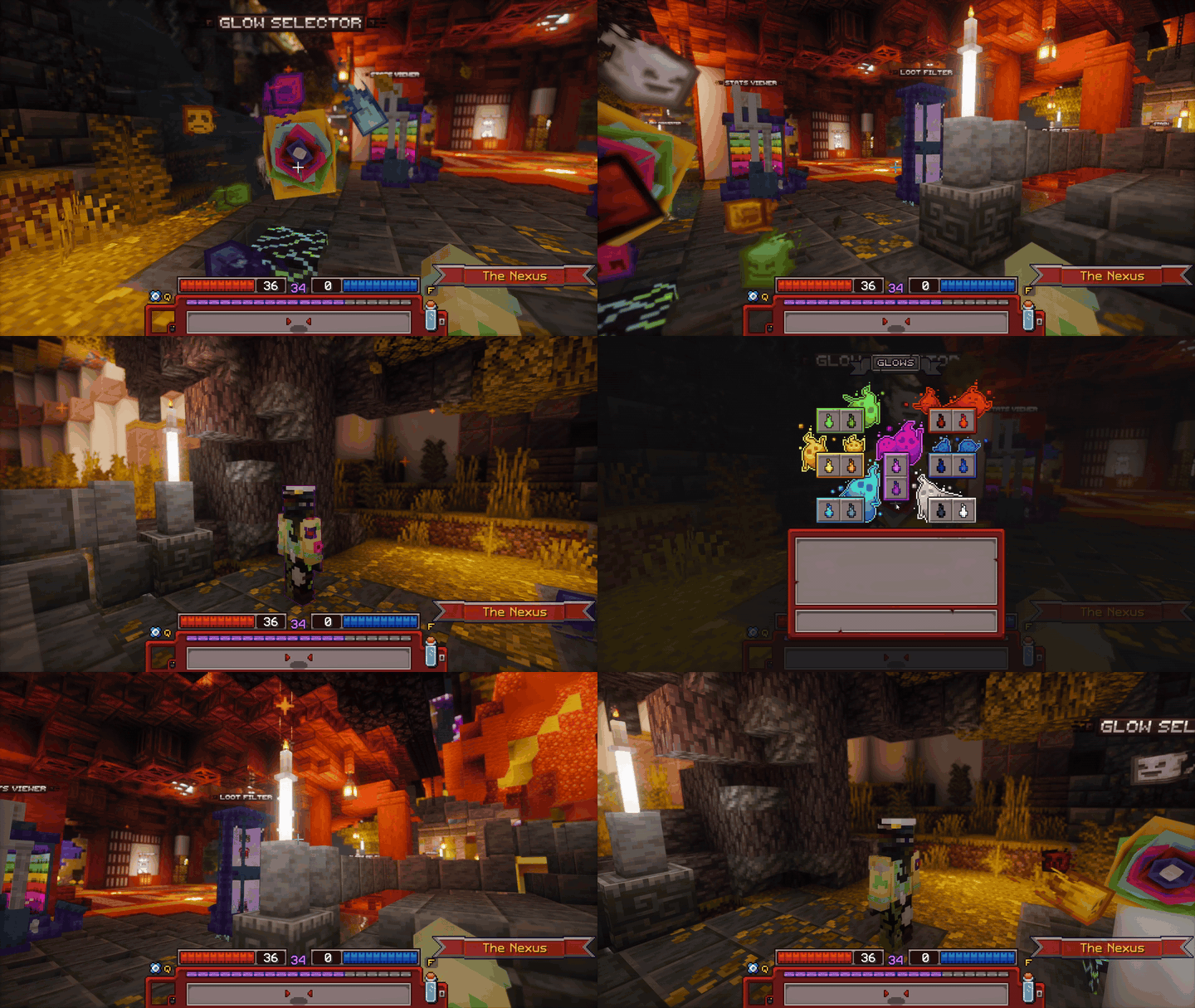
Demonstration of the Glow Selector
Serves as the way to view stat values, where they come from, and their functionality! Stats are gained from Transcendence, Gear, and Runes. For a detailed breakdown on all of the stats, view the Stats Page.
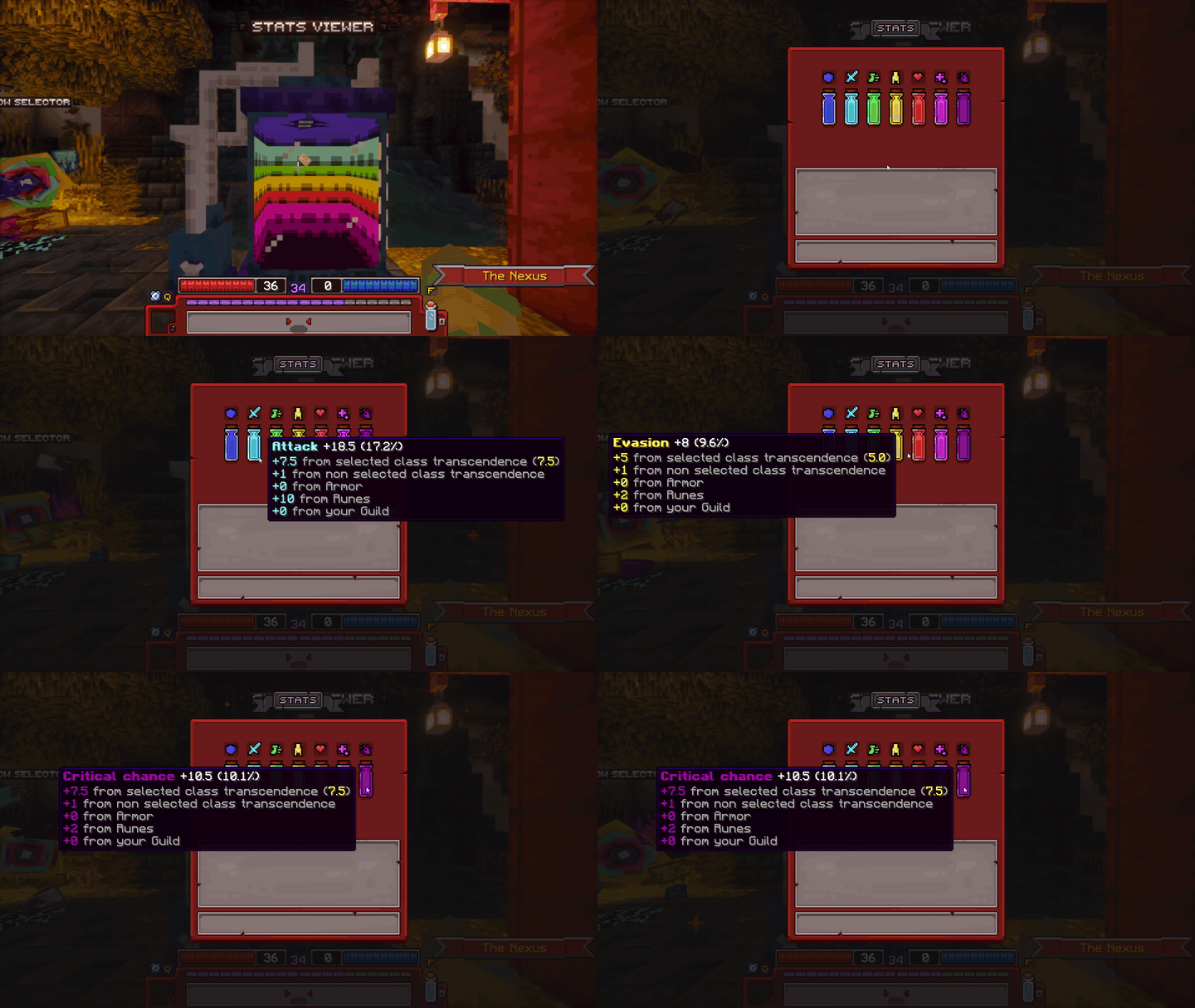
Demonstration of the Stats Viewer
Used to pick what Sticker to display from your Sticker Collection. Stickers are obtained from the Season pass, Supporter Subscription, and the Store. Stickers are displayed above the player's head by clicking the smiley button in your inventory's action menu.
| Image | Name | Obtained From |
|---|---|---|
 |
Supporter | Active Supporter Subscription |
 |
Garen | Store |
 |
Bobbe | Store |
 |
Jonkler | Store |
 |
War Cat | Store |
 |
hellskitchenwaterphonesoundeffec | Season 1 Pass Tier 23 |
 |
Wilted Rose | Season 1 Pass Tier 34 |
 |
Analysis | Season 2 Pass Tier 23 |
 |
Bleh | Season 2 Pass Tier 40 |
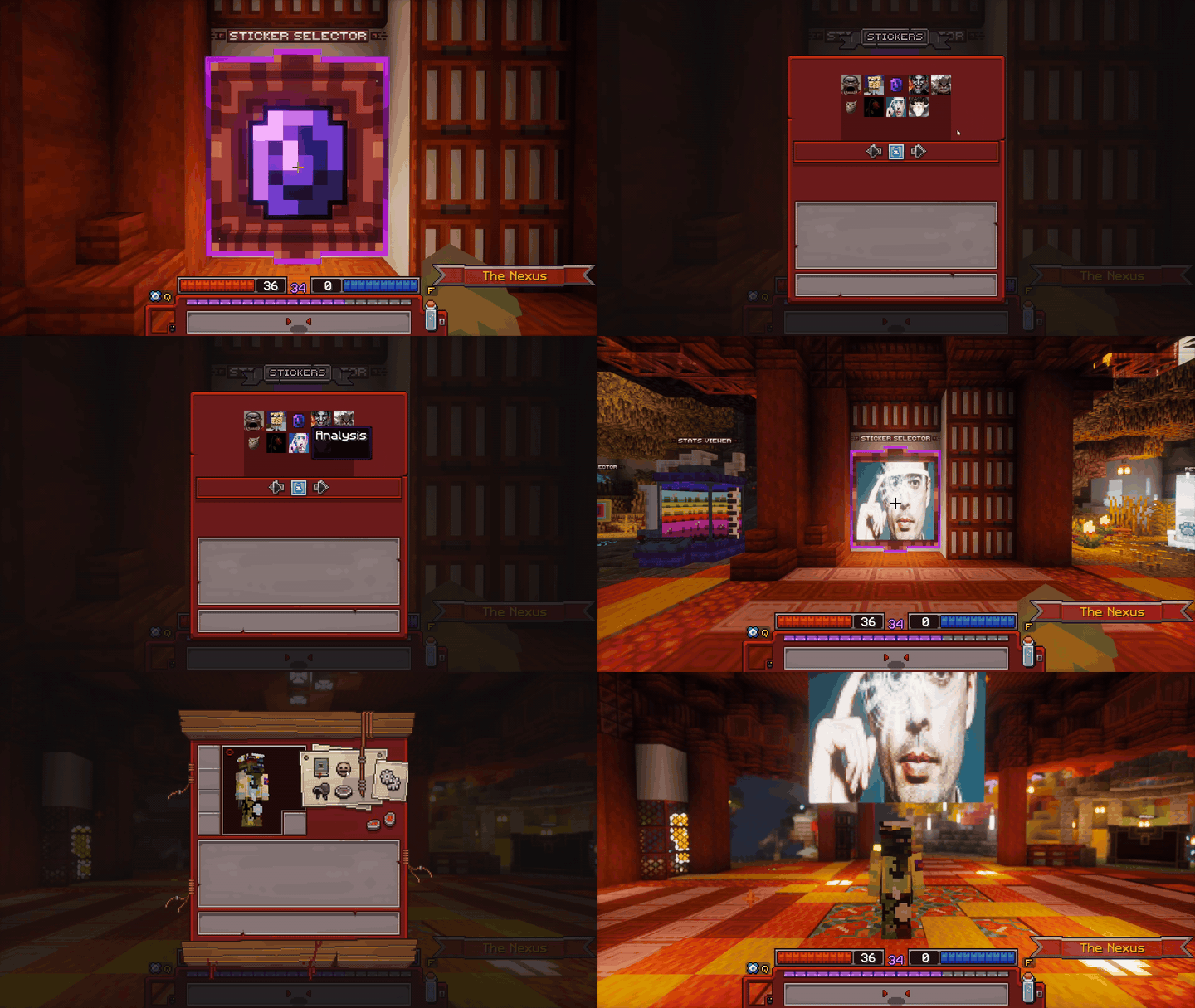
Demonstration of the Sticker Selector
Allows the conversion of Seasonal Glory into Glory at a 1:1 Ratio. This is done by inputting the amount of Seasonal Glory into the textbar, and then by pressing on the confirmation button to finish the process.
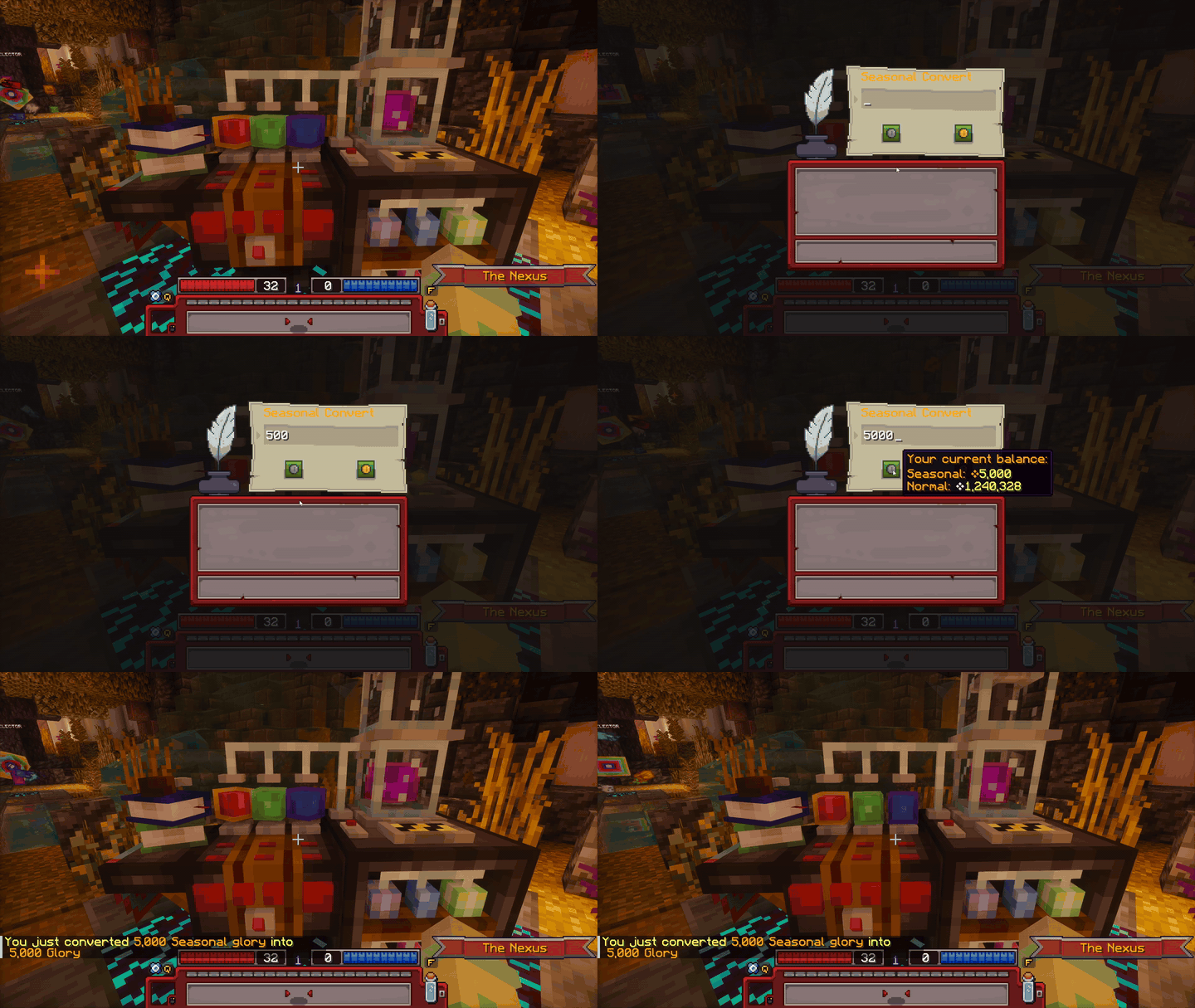
Demonstration of the Seasonal Glory Converter
Your own little companions, how cute! Pets serve as a way to deal extra DPS or heal the player, while mounts are used to traverse the Realm. Selecting Companions is done by clicking on the desired one. Companions are obtained from Dungeons at a very low droprate, with no Soft Pity. To summon your Mount in the realm, click on the saddle in your inventory's actions menu, or in the G-key interface. More information on companions can be found on the Companions Page, and more information on Companion Bags can be found on the Loot Page.
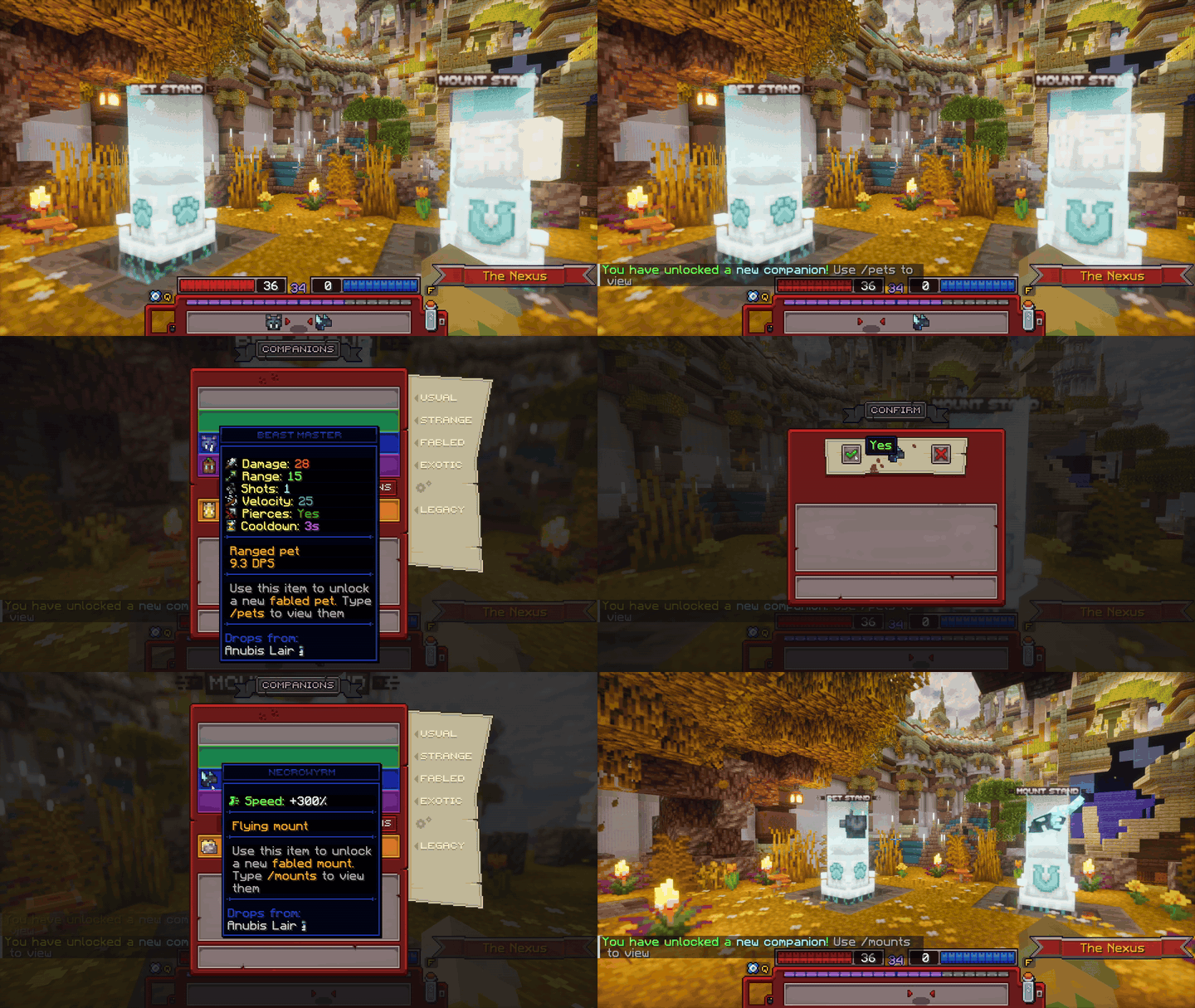
Demonstration of the Pet and Mount Stands
This is the central station for all guild-related features. A Guild can be created by paying 10k glory. To increase the guild's tier, more glory is required (exact amounts listed in the table below).
To view the member list, click on the playerhead. In this GUI, you can also invite, kick and promote players. The guild vault is accesed by clicking on the ender chest. It has 45 slots per, and higher ranking members can also convert vaults into seasonal vaults. Additionally, (Seasonal) Glory can be deposited/withdrawn to the guild. To leave a guild, click on the leave button in the bottom right of the GUI.
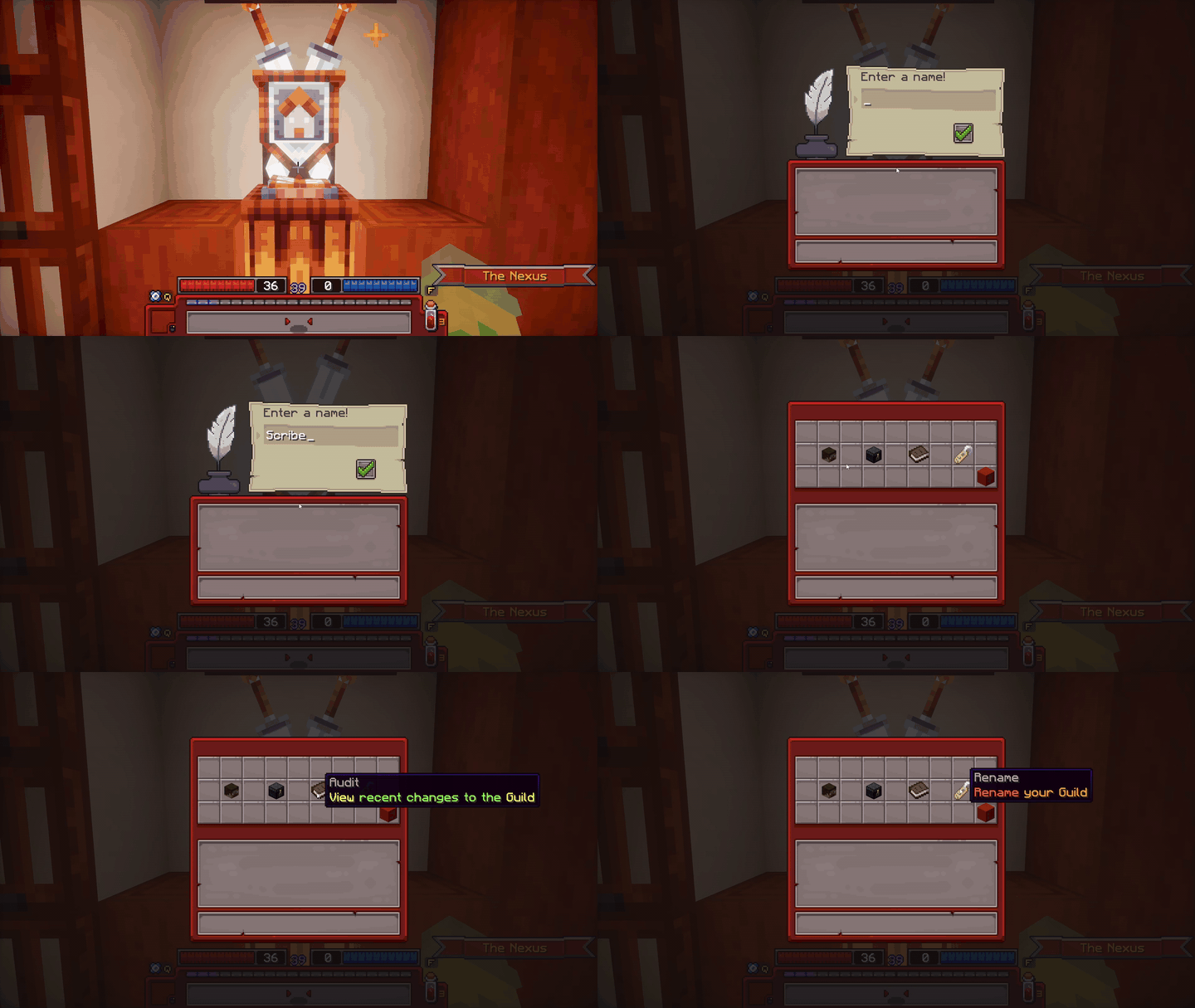
Demonstration of the Guild Viewer
 Graveyard
Various Graves can be found in the Graveyard, these consist of the top 3 Seasonal and 5 most recent global deaths. Perma-death is activated for any player who is over level 20. Grave designs are dependent on rank. More information on this can be found on the Perma-death section of the Game Mechanics page.
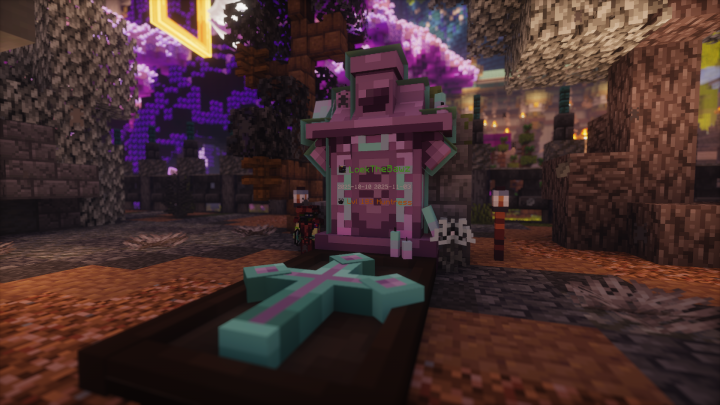
A player being displayed on one of the graves.
 Leaderboards
The physical Leaderboard displays the top 5 Seasonal Characters and their gear. Leaderboard position is calculated with Score, which is determined by fame multiplied by maximum Tier Points (per character). Tier Points are gained from gear and increase from higher quality items, while Fame is obtained by killing enemies. More information on fame can be found on the Economy page, and more information on tier points can be found on the Game Mechanics page.
To view other leaderboards, run the /leaderboards command. You can view your own leaderboard positions at the Oracle Leaderboard!
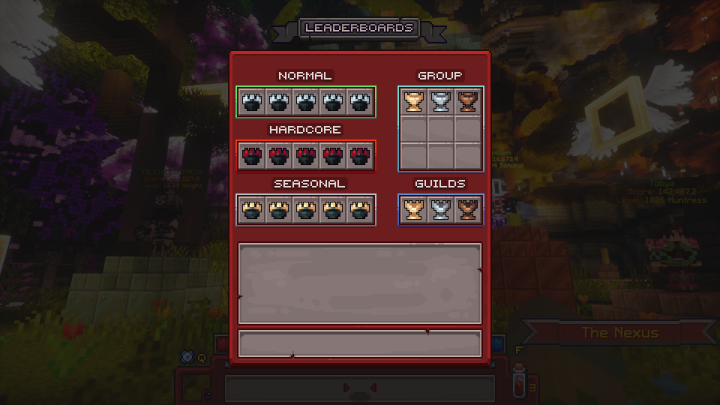
The /leaderboards GUI
 Auction House
The Auction House displays all of the items that players on your Ruleset are selling. Glory, the main currency, is generated into the economy when a Character dies. This makes their built up fame turn into glory, at a 1:1 Ratio. Scrapjack resides in the corner of the Auction House, buying Tiered Gear for a fixed glory price.
Information on Auction House details such as buying & selling can be found on the Auction House section of the Economy page.
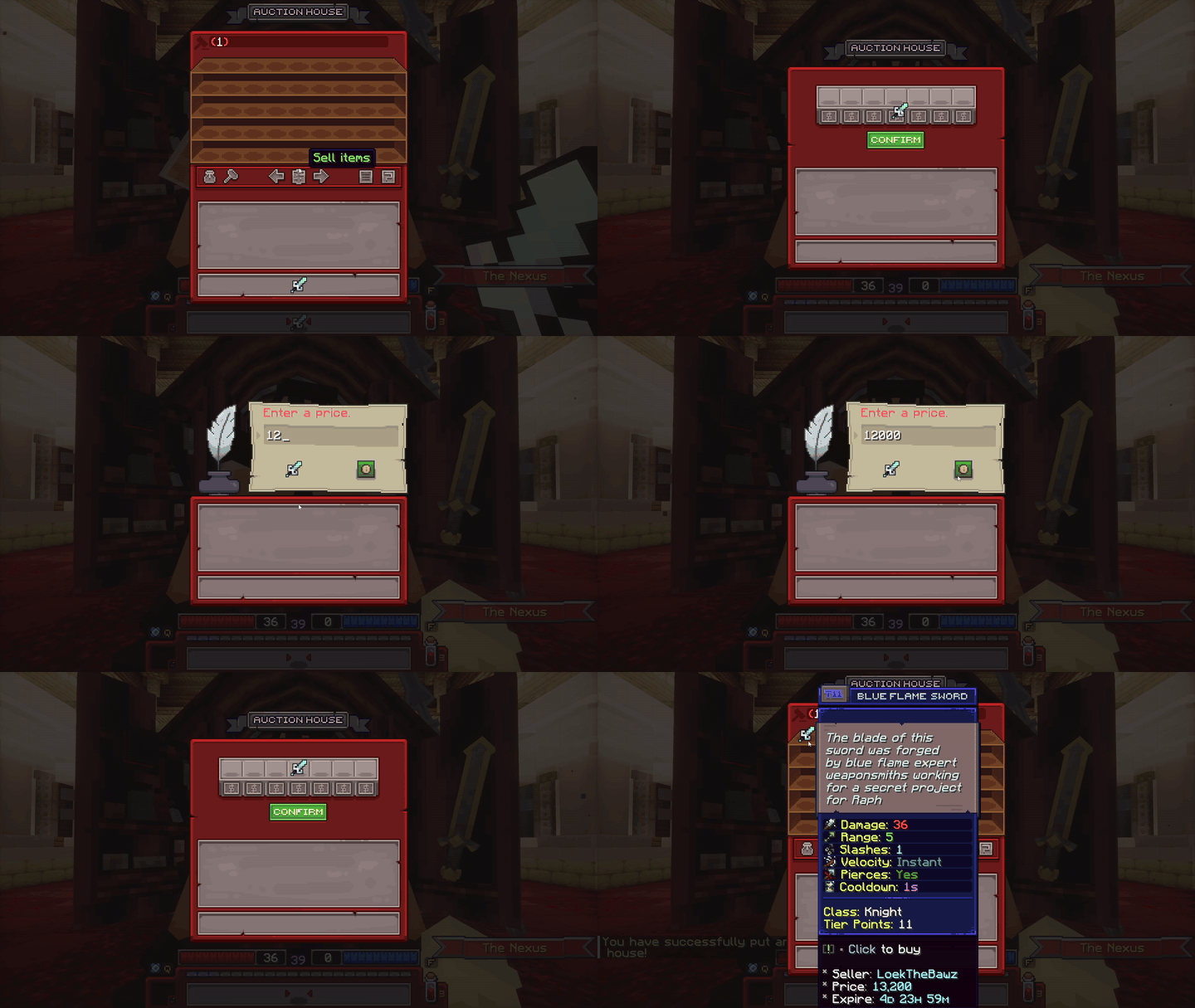
Demonstration of selling an item on the Auction House
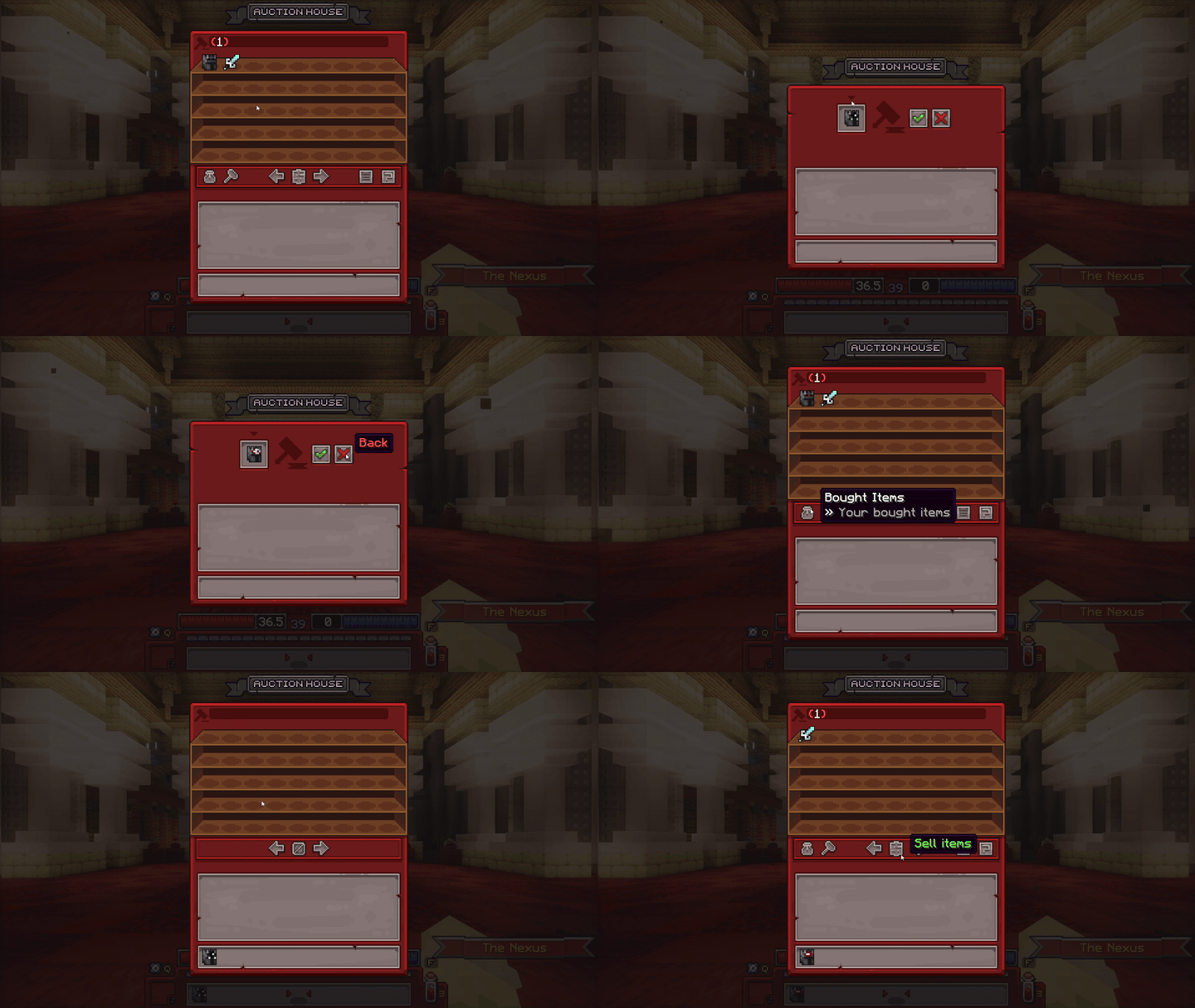
Demonstration of buying an item on the Auction House
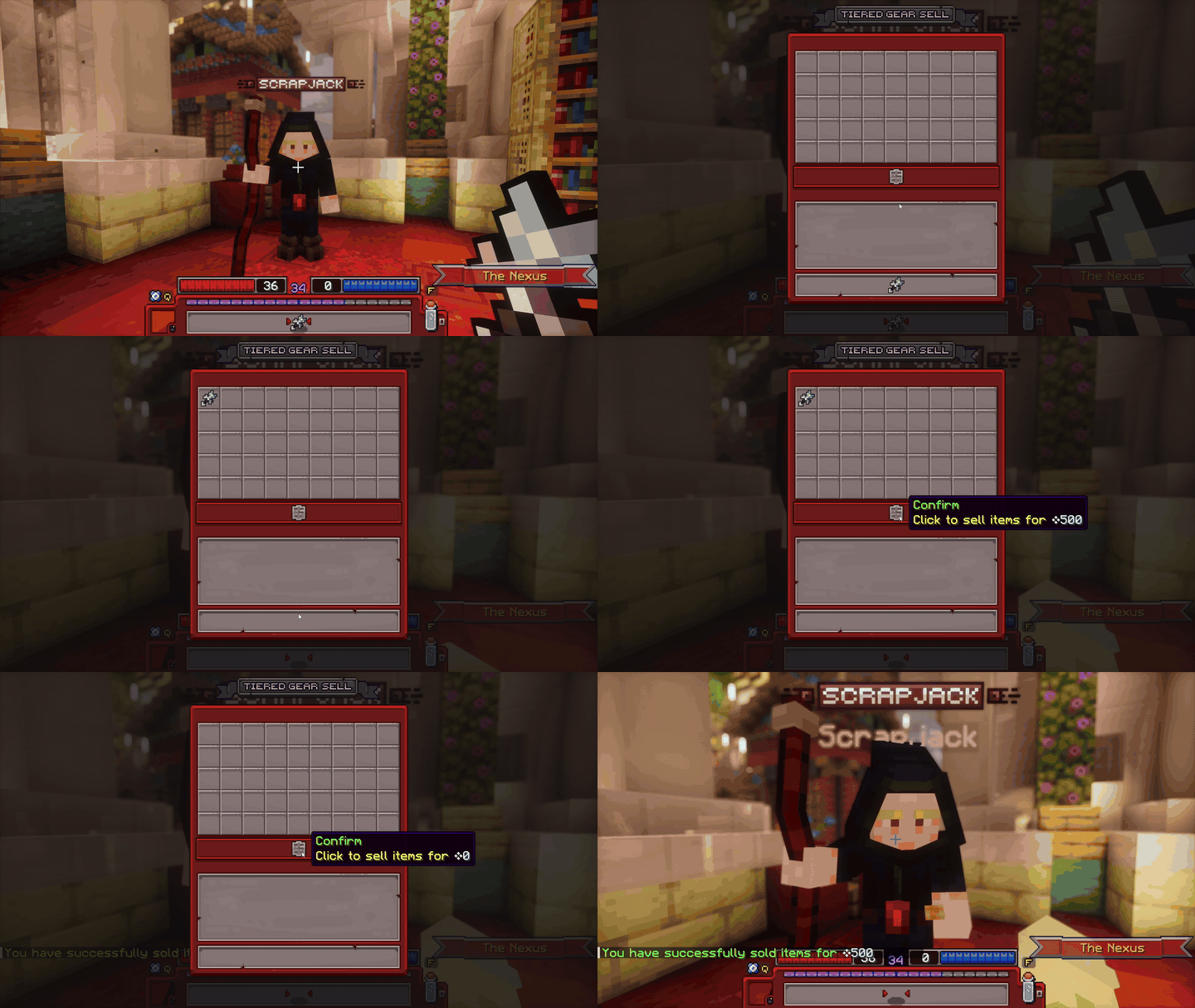
Demonstration of Scrapping Tiered gear at Scrapjack
 Quest House
Ragnar is the primary Quest-giving NPC in Telos. He offers weekly quests & daily missions. To claim Quest Rewards, type /rewards. They will appear in the character-specific Rewards section upon completion of a Quest.
More information on quests and missions can be found in the Quests tab of the Game Mechanics page.
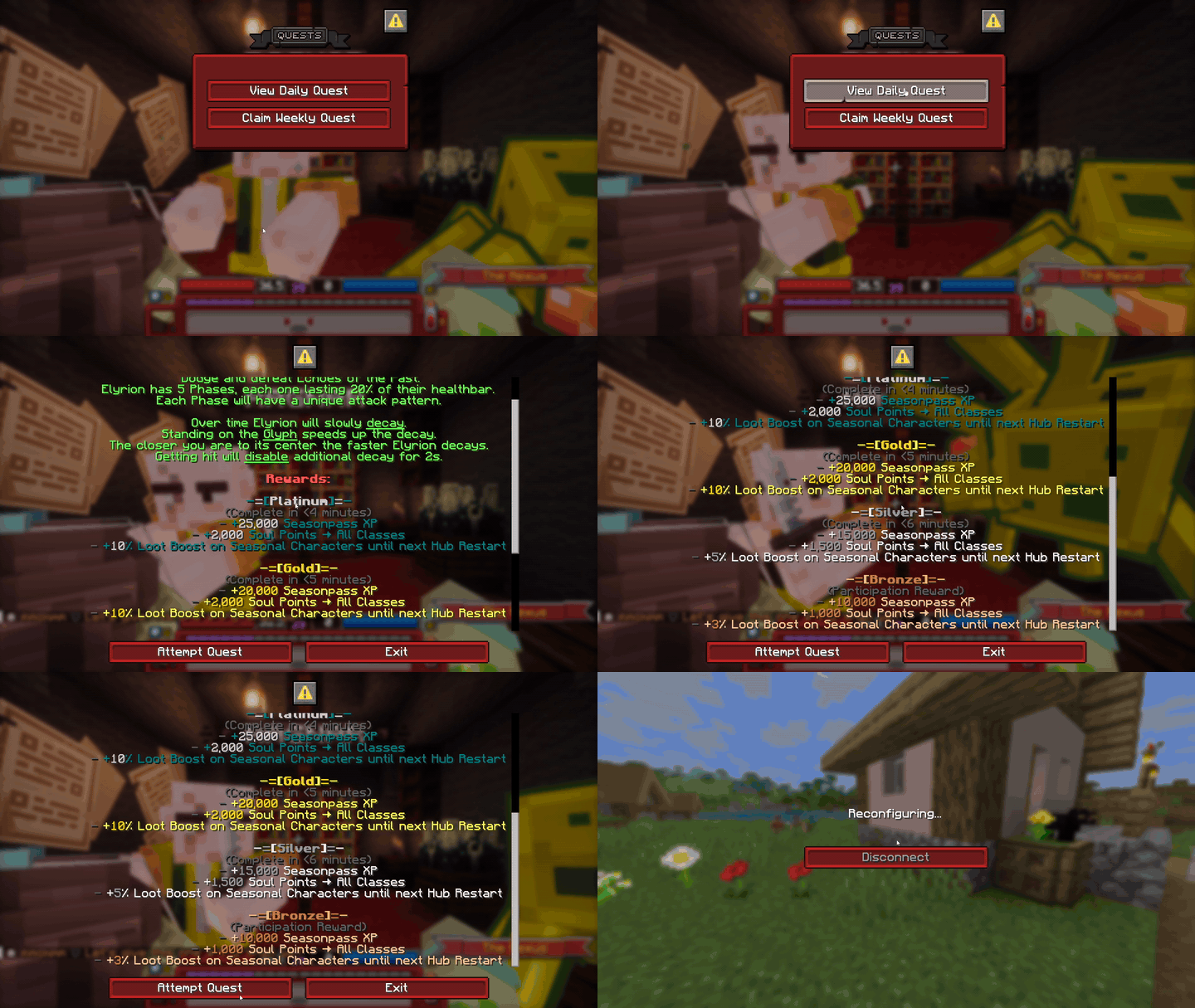
Demonstration of Ragnar's UI