

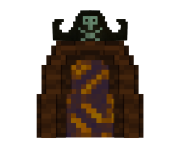

Template:Dungeon Link
{{Dungeon Link}} shows a dungeon's portal thumbnail (its name-plate image stacked on its portal image) as a clickable link. It is used on the Dungeons index and on biome pages.
Overview
Given a portal base name, the template renders two stacked images — <portal>Text.png (the name plate) and <portal>.png (the portal art) — both linking to the dungeon's page. It is the building block of the dungeon grids.
Parameters
| Parameter | Required? | What it does | Example |
|---|---|---|---|
portal |
Required | Portal file base name without .png. The template appends Text.png and .png itself. |
Portal-SkullCavern
|
size |
Optional | Image width. Defaults to 42px. Dungeon grids use 180px; biome grids use 256px. |
180px
|
link / 1 (first positional) |
Optional | Page the images link to. If link is omitted it falls back to the first positional argument. |
Skull Cavern
|
How to use
Pass the portal base name and the dungeon page name:
Here Skull Cavern is the first positional arg (used as the link target), and portal=Portal-SkullCavern builds Portal-SkullCavernText.png + Portal-SkullCavern.png. Make sure both image files exist.
Copy this
{{Dungeon Link||portal=|size=180px}}Example
{{Dungeon Link|Tomb Of Shadows|portal=Portal-TombOfShadows|size=180px}}Tips & notes
portaltakes no.png— the template addsText.pngand.pngfor you.- Both the name plate and the portal image must exist as files (e.g.
Portal-TombOfShadowsText.pngandPortal-TombOfShadows.png). - Used inside
{{Dungeon Navbox}}grids and biome pages.